A Region Full of Potential, Zero Digital Infrastructure
Indonesia's capital relocation to East Kalimantan created a rare moment: a region rich in natural beauty, growing in infrastructure investment, and completely without a dedicated tourism platform. Travelers navigated entirely through word-of-mouth and fragmented social media posts.
GO-IKN is designed to be the primary guide for anyone exploring IKN Nusantara — offering verified information, smart planning tools, and a community layer that no existing app provides for this region.
"I have never come across an app or website related to Kalimantan tourism — I usually get information from friends or reading social media." — Josephine, Research Participant
Research: Understanding Travelers and Locals
The team conducted research with 5 individuals — a mix of active travelers and native East Kalimantan residents — using in-depth interviews to surface both behavioral patterns and emotional attitudes toward tourism in the region.
Research Objectives
Habits & Usage
Analyze user habits when traveling and using existing tourism apps to identify established behaviors.
Pain Points
Identify critical friction points when apps are used to support travel planning in underdeveloped regions.
Trust & Transactions
Understand transaction preferences and what builds trust in booking local experiences digitally.
What the Research Revealed
- Kalimantan's nature tourism has strong appeal — both domestically and internationally — but digital infrastructure is far behind
- Existing apps (Traveloka, Agoda) don't cover East Kalimantan meaningfully
- Users trust recommendations from people, not algorithms — community is a critical trust signal
- Price transparency is non-negotiable: unclear admission pricing creates anxiety before visiting
User Personas
"The beach atmosphere when camping with college friends is amazing — forgetting the city, enjoying a moment close to nature."
"I see firsthand the development of IKN Nusantara — I want a digital platform that matches this region's potential."
Mapping the Emotional Arc
The journey map revealed something counterintuitive: the most critical design moments weren't inside the app — they were before the first download (awareness) and after the first trip (loyalty). Trust had to be established before the first tap.
Key insight: Users at the "Test" stage experienced the sharpest frustration — payment confusion and mismatched expectations were dealbreakers. Simplifying the payment interface became a design-critical requirement, not just a nice-to-have enhancement.
Synthesizing What We Learned
I conduct to categorizing the information into demographics and engagement, we can clearly see how different users interact with travel applications and what their common behaviors are, which will inform the design and functionality of the travel app we are developing.
App features
What they valued & avoidedWorked Well
Pain Points
Requested Next
Tourism preference
Travel style & habitsPreferred Type
Travel With
IKN Interest
Prep Style
Transaction preference
How they pay & navigateNavigation
Biggest Spend
Payment Method
After analyzing 5 interviews, findings were categorized across three lenses: app feature preferences, interface expectations, and transaction behavior. The clearest pattern: users want power without complexity.
What Users Valued
- Accommodation + transportation + tickets integrated in one place — not spread across separate apps
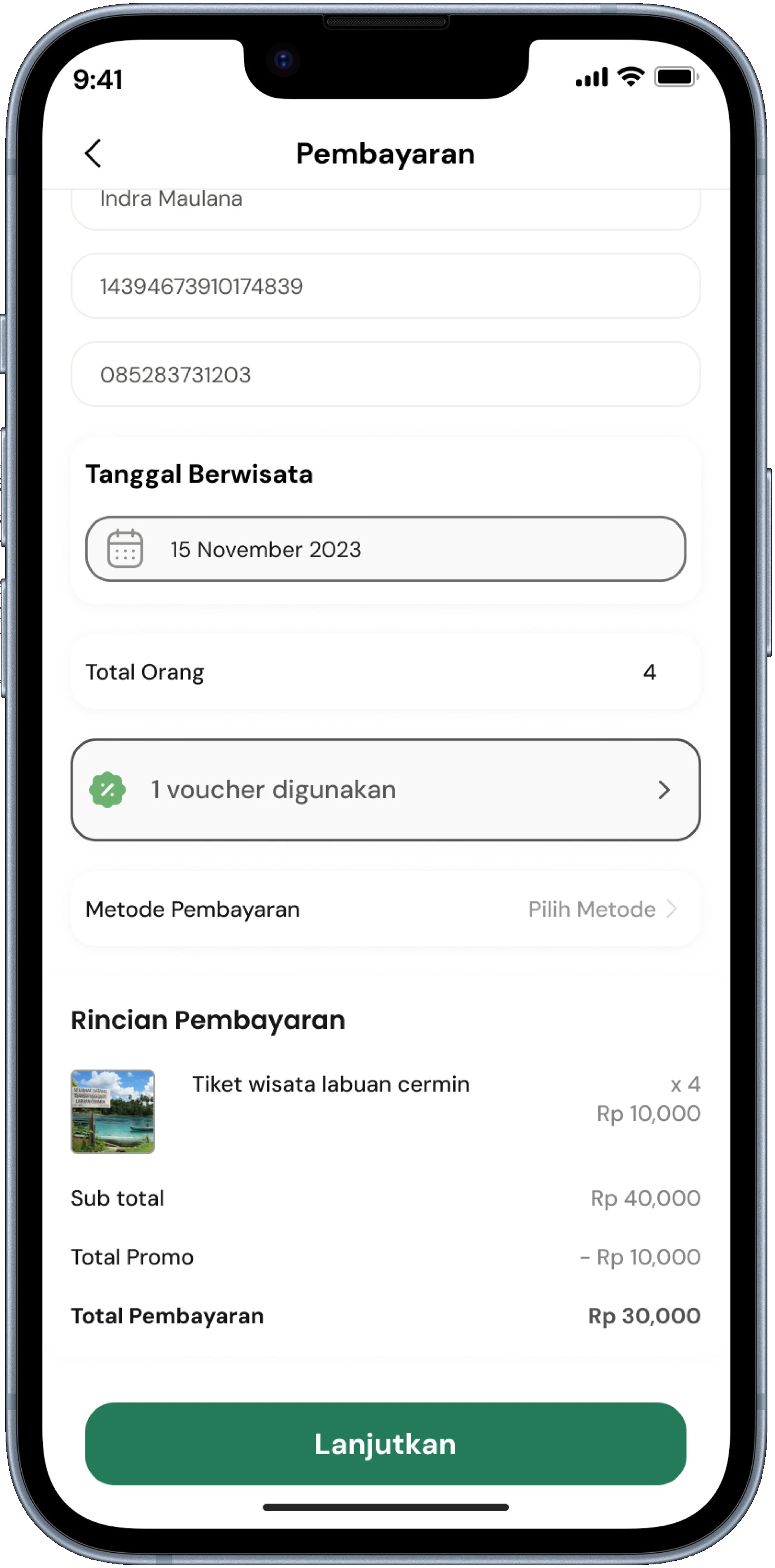
- Clear, non-confusing payment interface — "too many buttons cause real confusion"
- Informal but clear language — "formal but still casual, so you don't get bored reading"
- Categories for tourist types (nature, culture, education) — not one overwhelming flat list
Feature Requests That Emerged Organically
- AI recommendations — "based on my budget and what kind of experience I actually want"
- Travel organizer — create a log and diary plan inside the app itself
- Community sharing — "to get real references from fellow travelers, not just marketing"
- Price range display — "helps adjust budget and see whether promos are actually available"
Prioritizing with Impact-Effort Matrix
Not everything could be built in 3 weeks. The Impact-Effort Matrix separated "must launch" features from "great for version 2" — keeping scope tight without sacrificing the user value that made the product worth building.
🎯 High Impact, Low Effort — Build Now
- Tourist spot categorization by type and interest
- Simplified payment with fewer decision points
- Complete information architecture in all core features
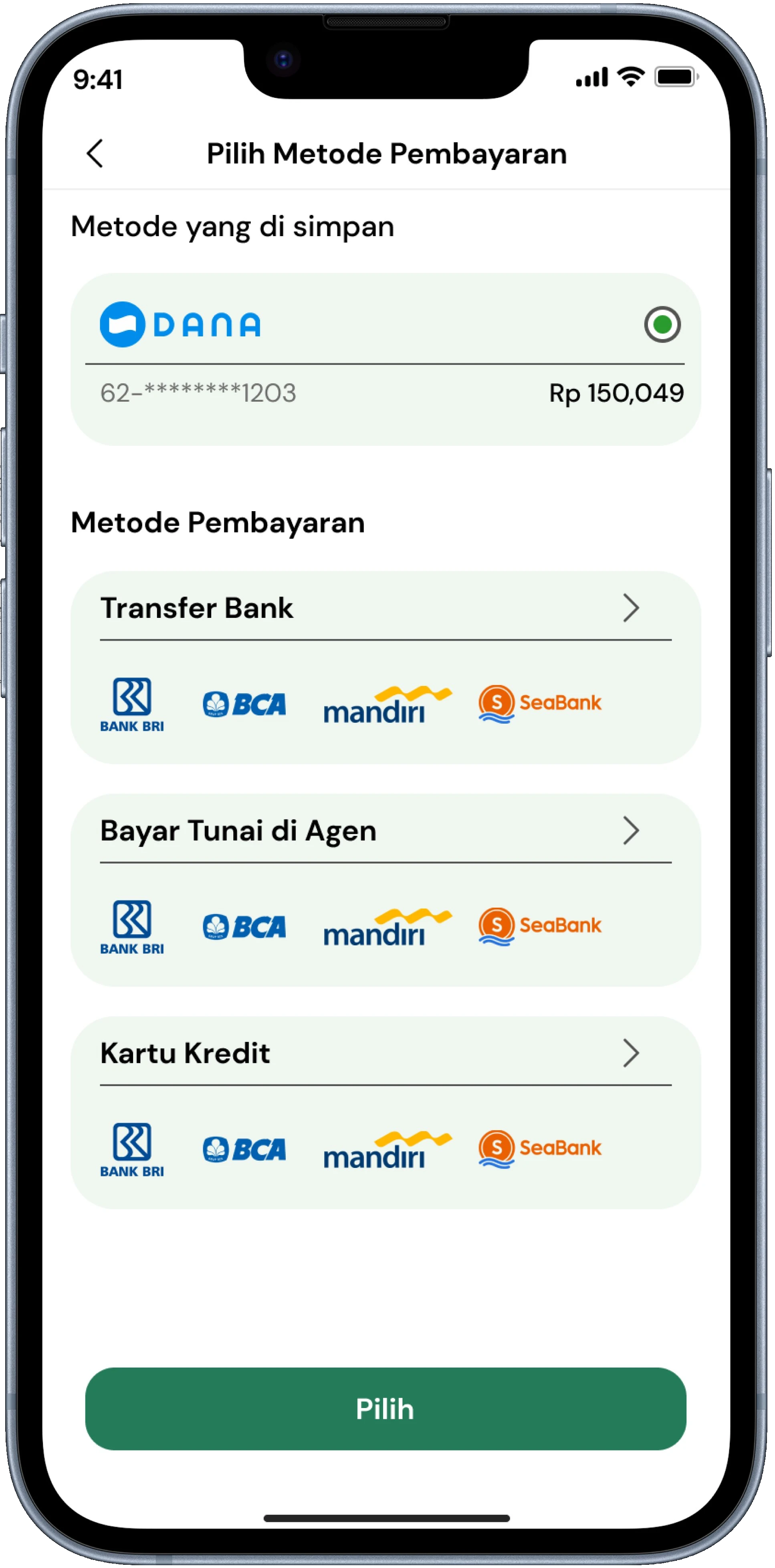
- Multiple payment method options for accessibility
- Travel log and itinerary organizer in-app
- Activity reminders and smart notifications
🔬 High Impact, High Effort — Plan for V2
- Real-time visitor density tracking at attractions
- AI recommendations by budget, mood, and history
- Full community travel sharing feed
- Live chat with verified local guides
- Accommodation with fully integrated payment rails
Four Core Features Final
Tourist Attractions
Curated spots with verified info, pricing, and real visitor reviews — no more guessing before arrival.
Accommodation
Integrated lodging near IKN with transparent pricing, availability, and direct booking.
Itinerary Planning
Smart multi-day planning with route optimization — everything in one app, no extra tools needed.
Community Guides
Local knowledge from residents and experienced travelers — the kind of insights no algorithm can produce.
Information Architecture
I structured the app architecture to consolidate fragmented tourism services into a single cohesive flow. The goal was to ensure that nature exploration, booking, and community insights are never more than three taps away.
From Wireframe to Final Screen
Five core features were built for the MVP. Each design decision was based directly on research findings — not assumptions.
Base
Primary
Accent
Green represents nature and primary actions, while gold is used for promos and rewards — reflecting Kalimantan's natural wealth. The black base provides a modern and premium feel.
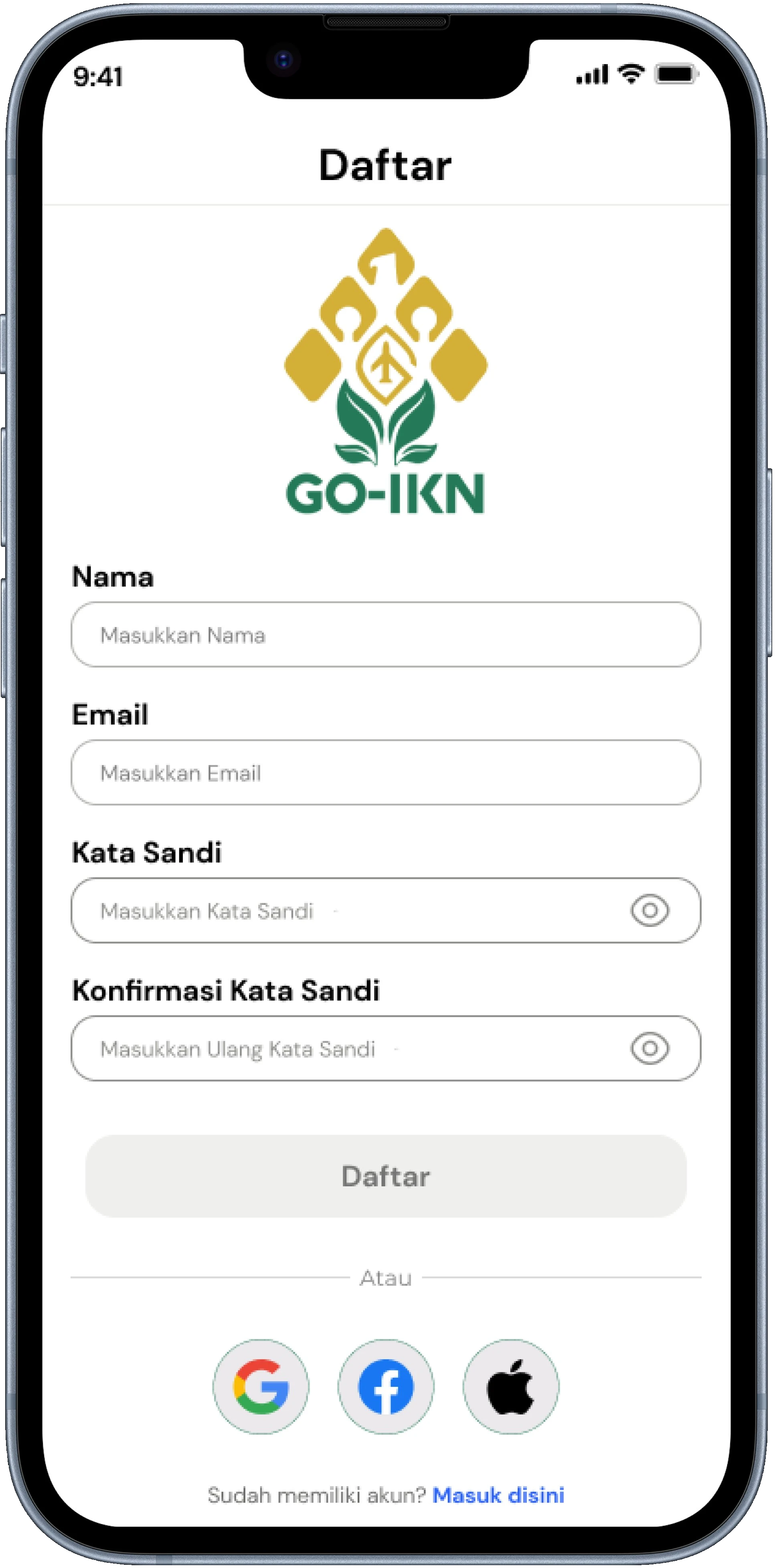
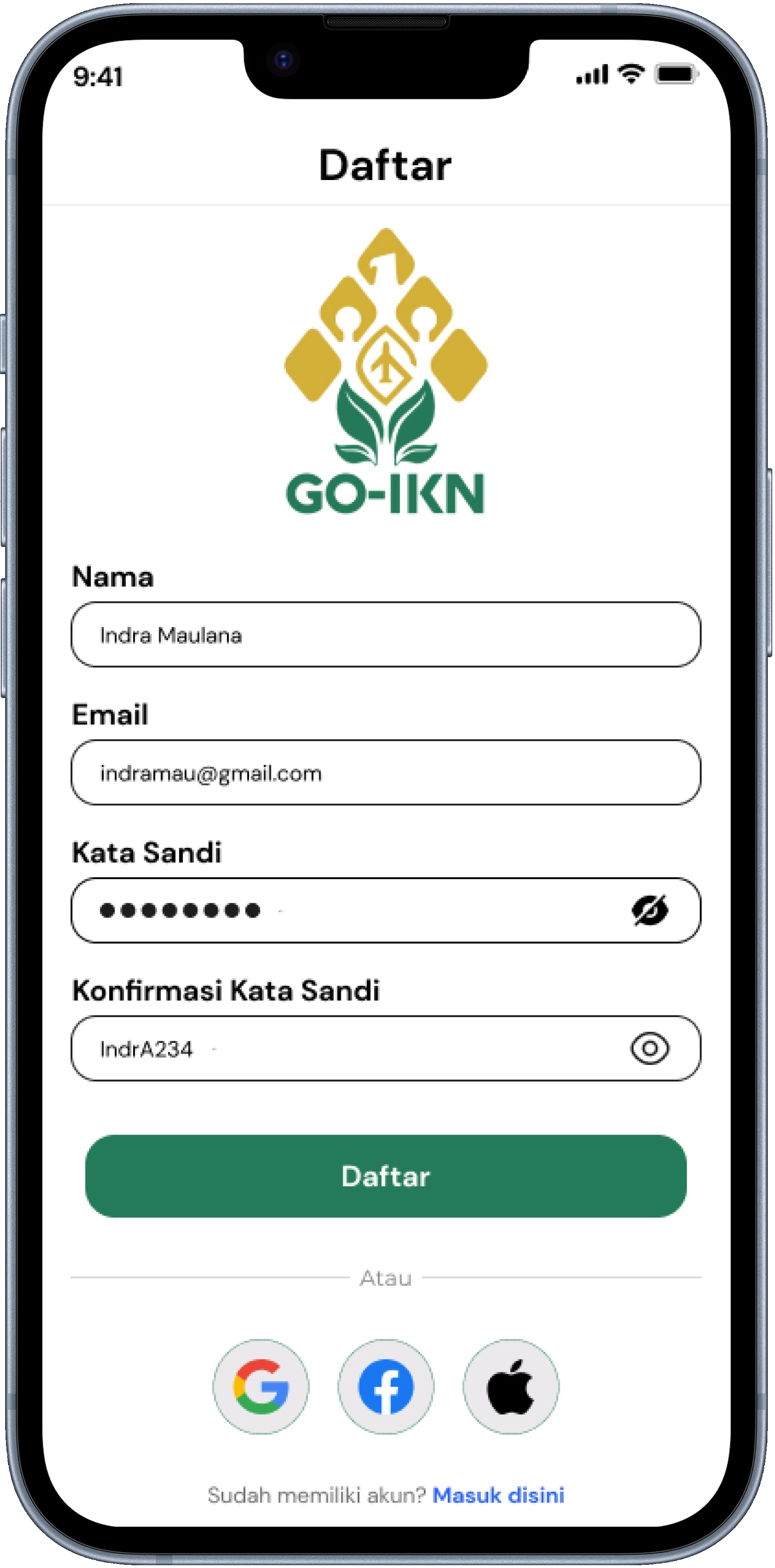
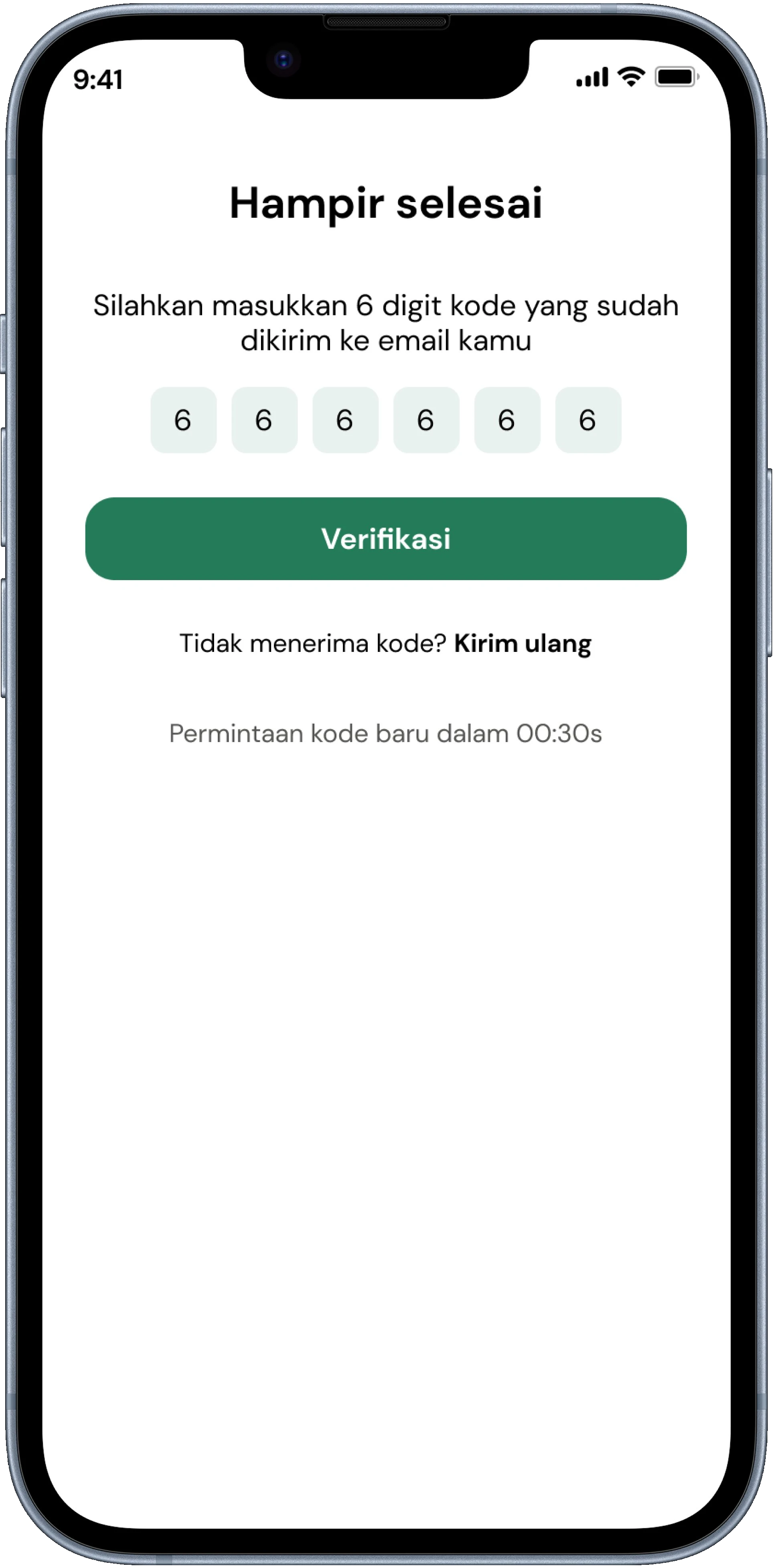
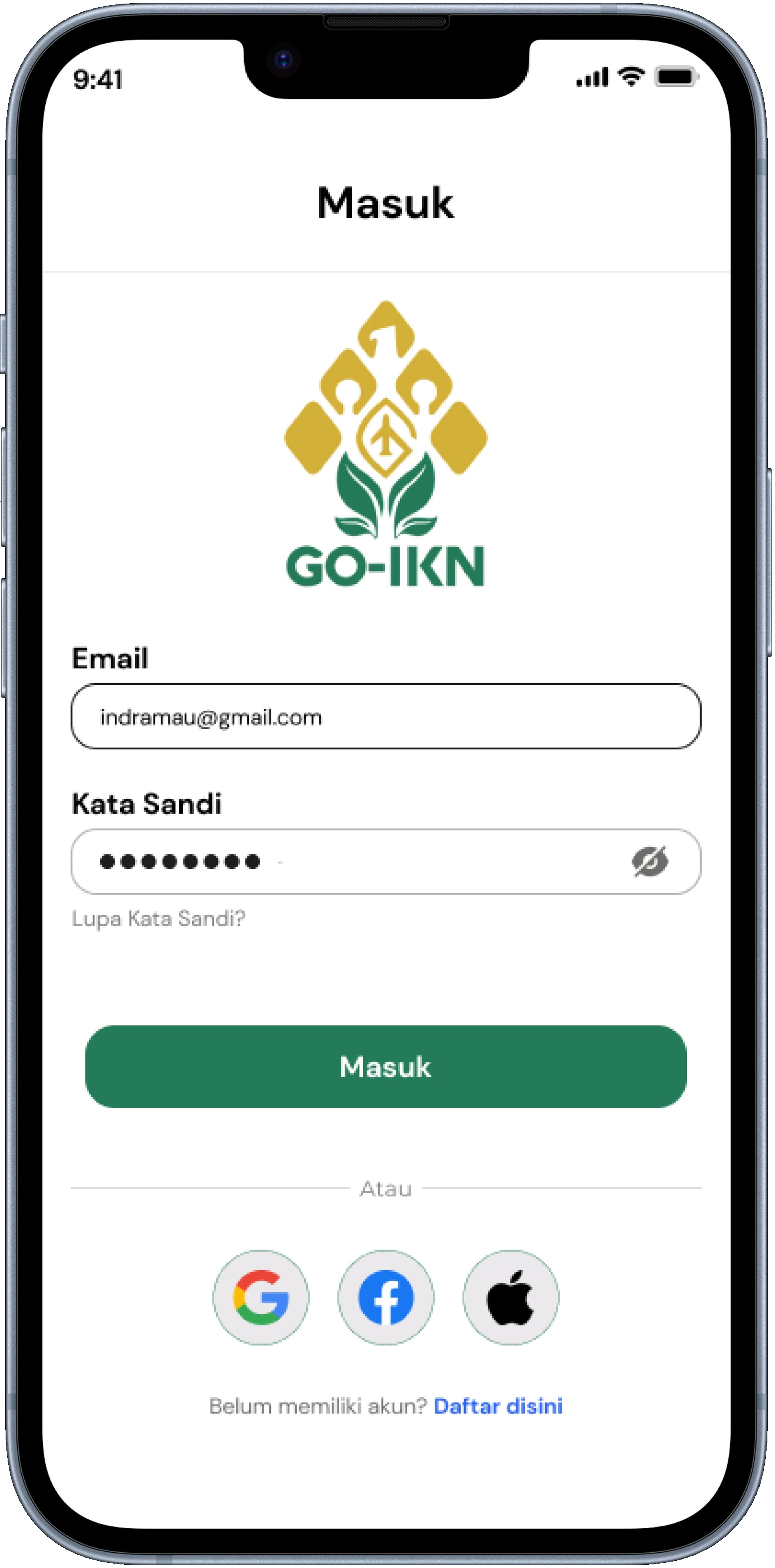
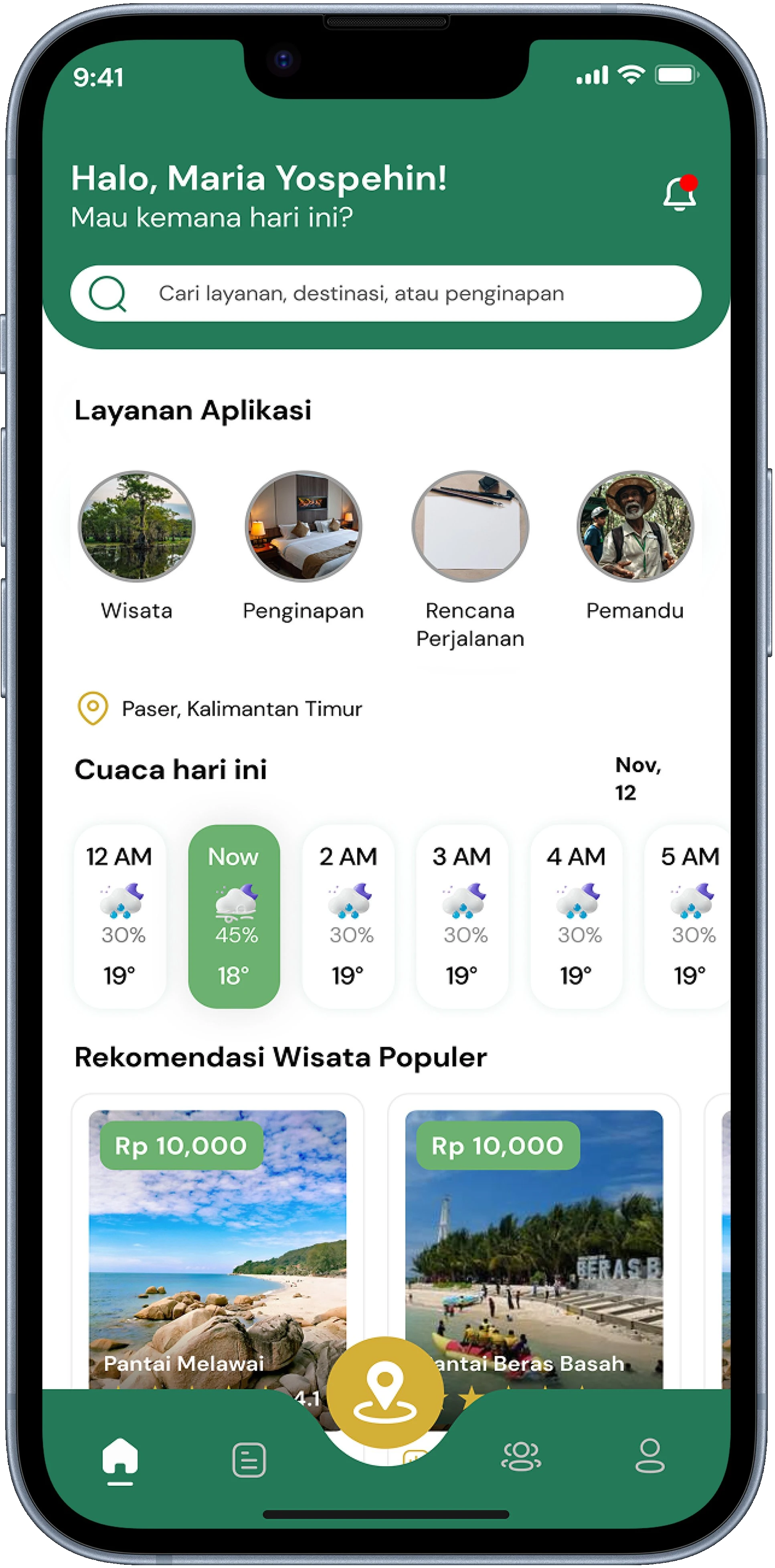
The flow is split into 3 linear steps (registration form → OTP → login → home). A 6-digit OTP was chosen as it's faster to confirm from mobile notifications compared to email links, which is relevant for mobile-first users.
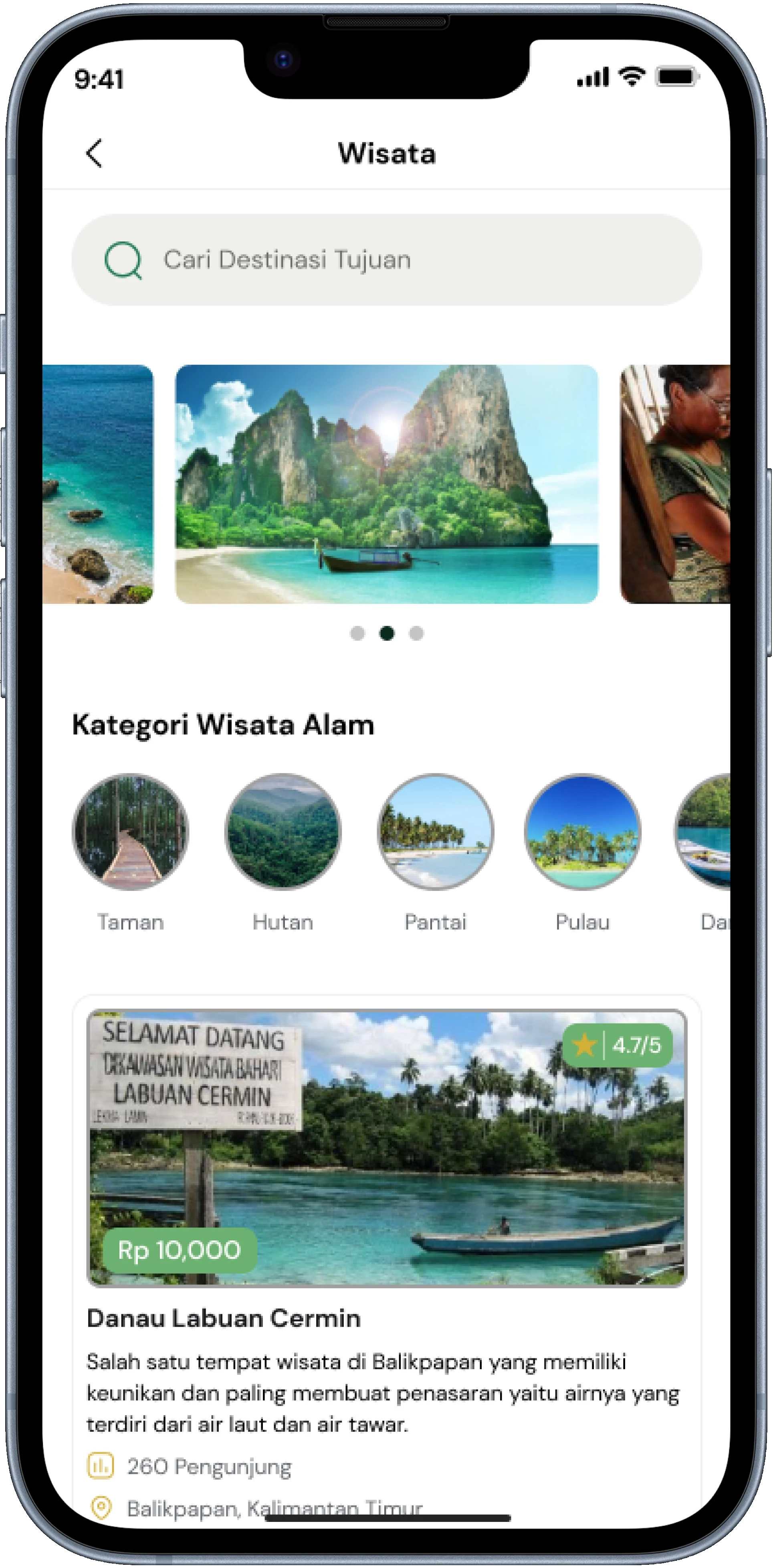
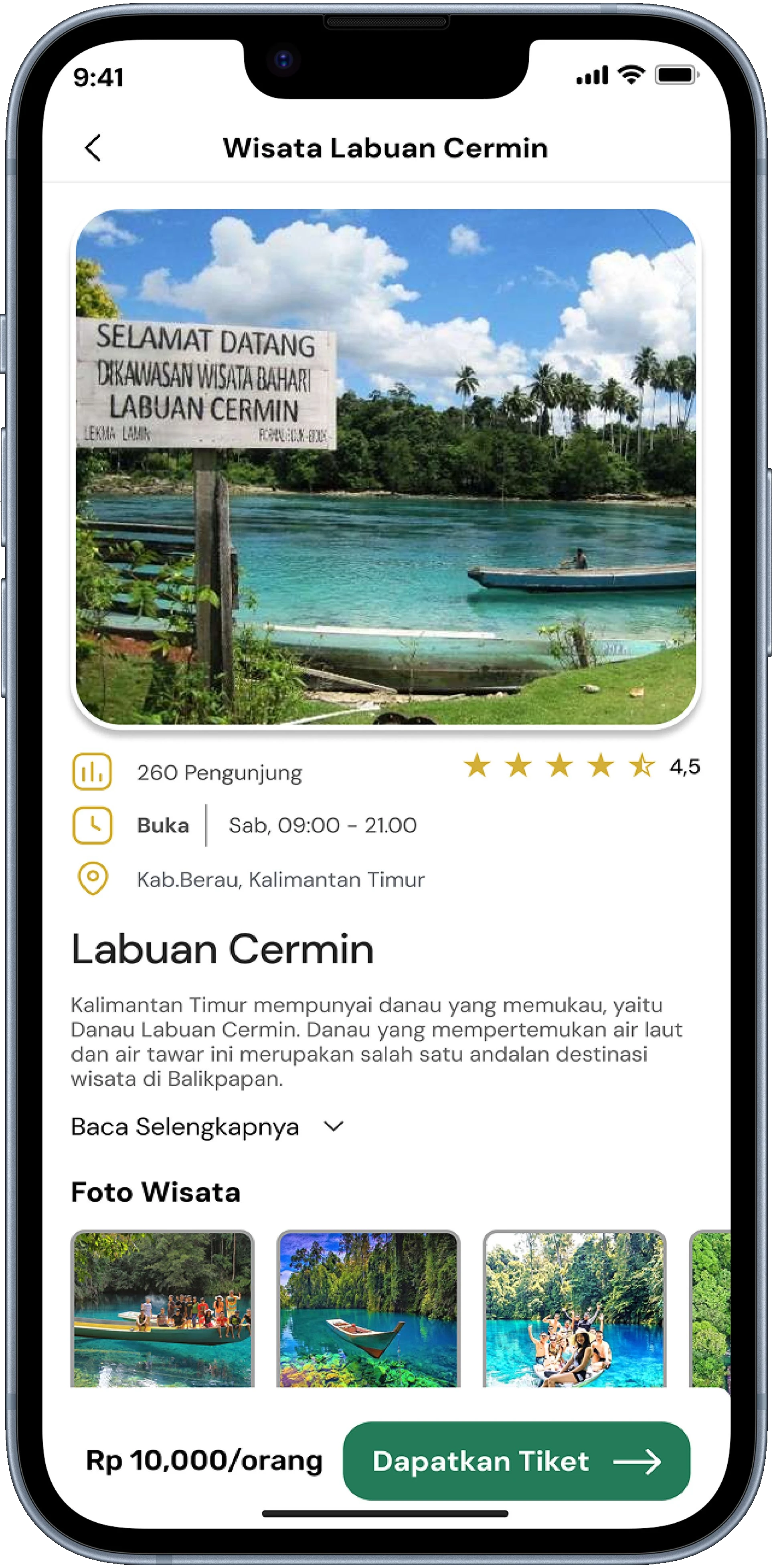
Users can enter from the home page and select the tourism service to explore destinations. At the top of the Tourism page, categories like Nature, Culture, and Education are placed directly as filter tabs to make it easier for users to filter places based on their interests without entering a hidden filter menu.
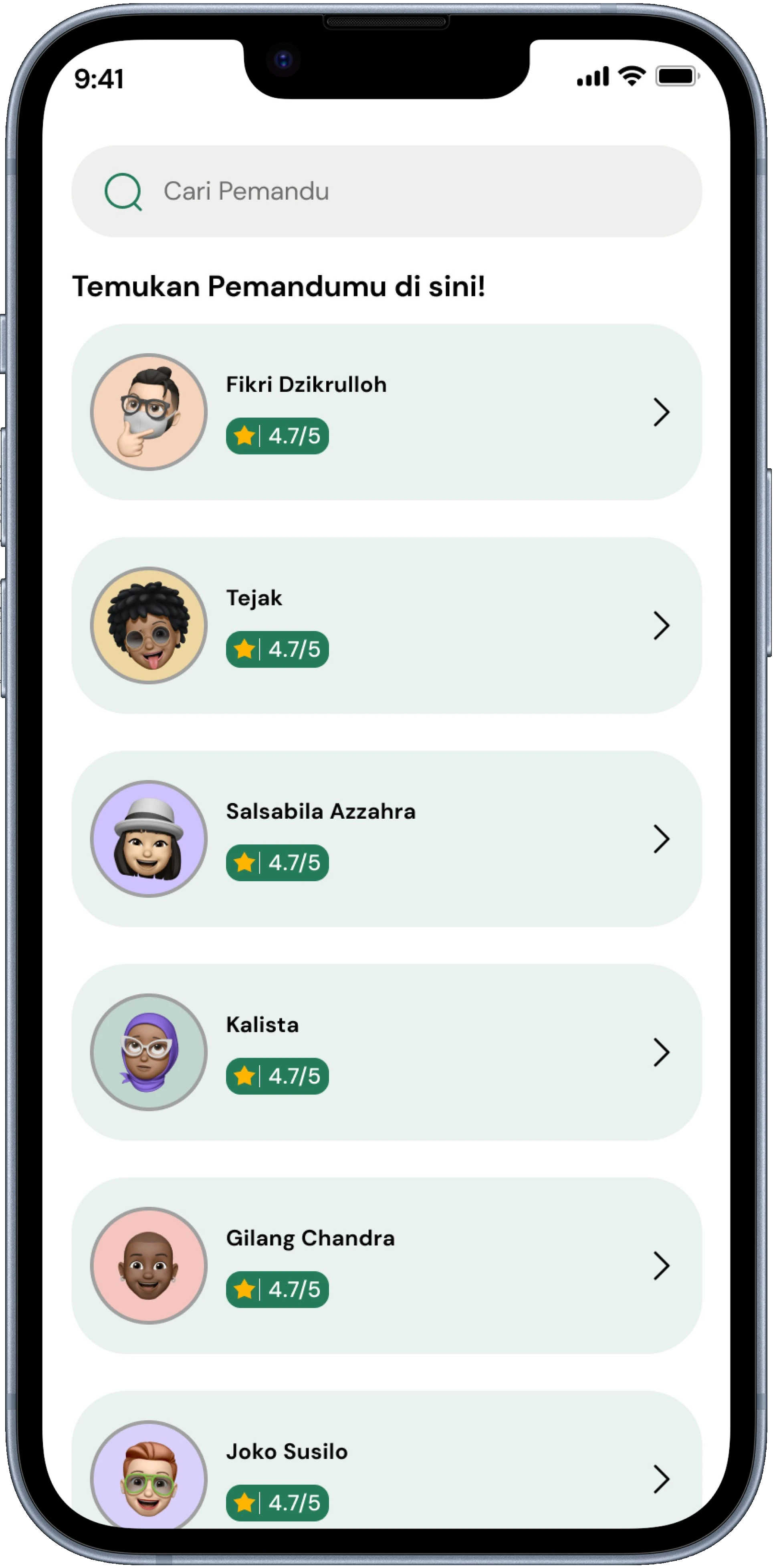
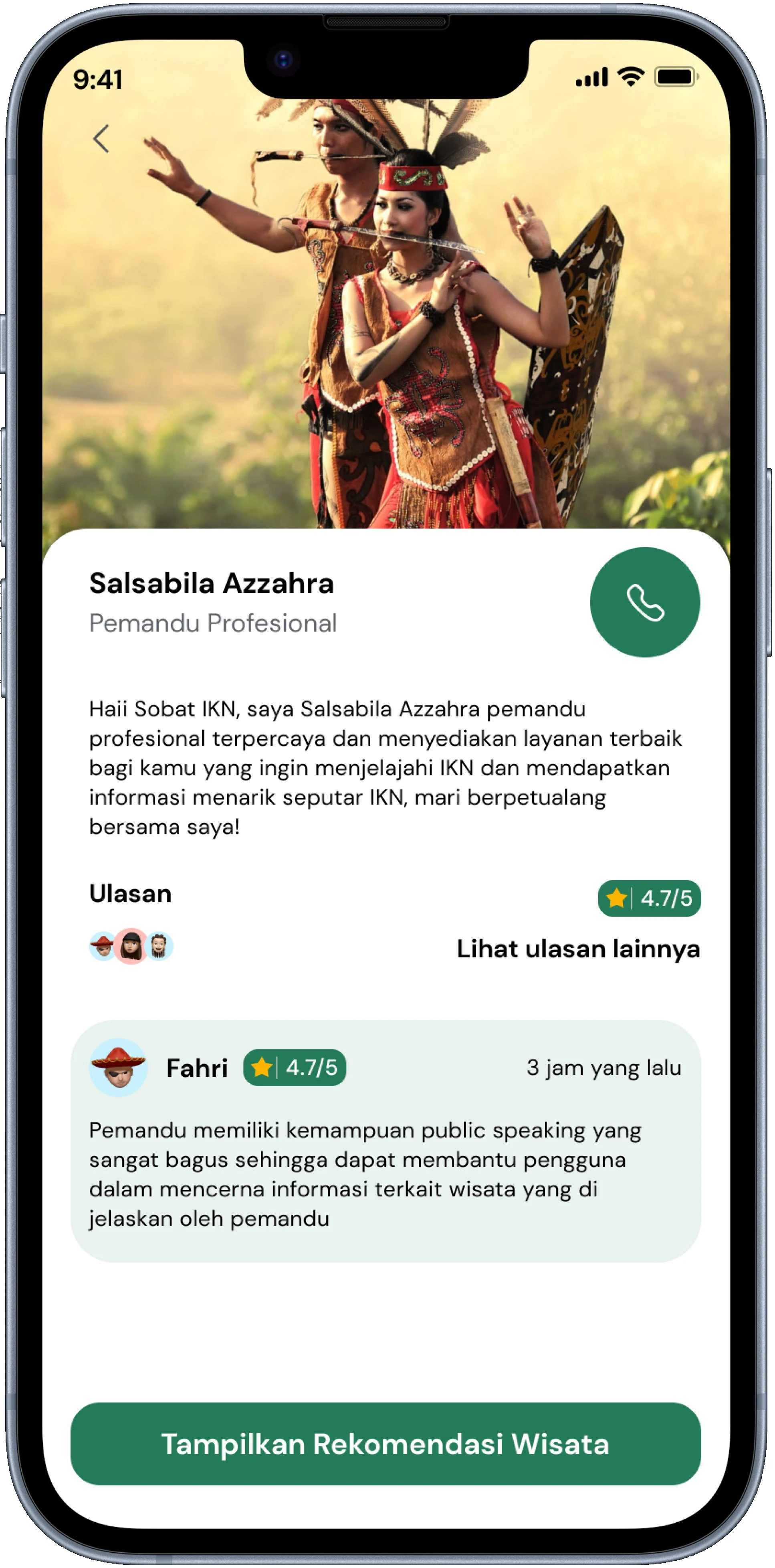
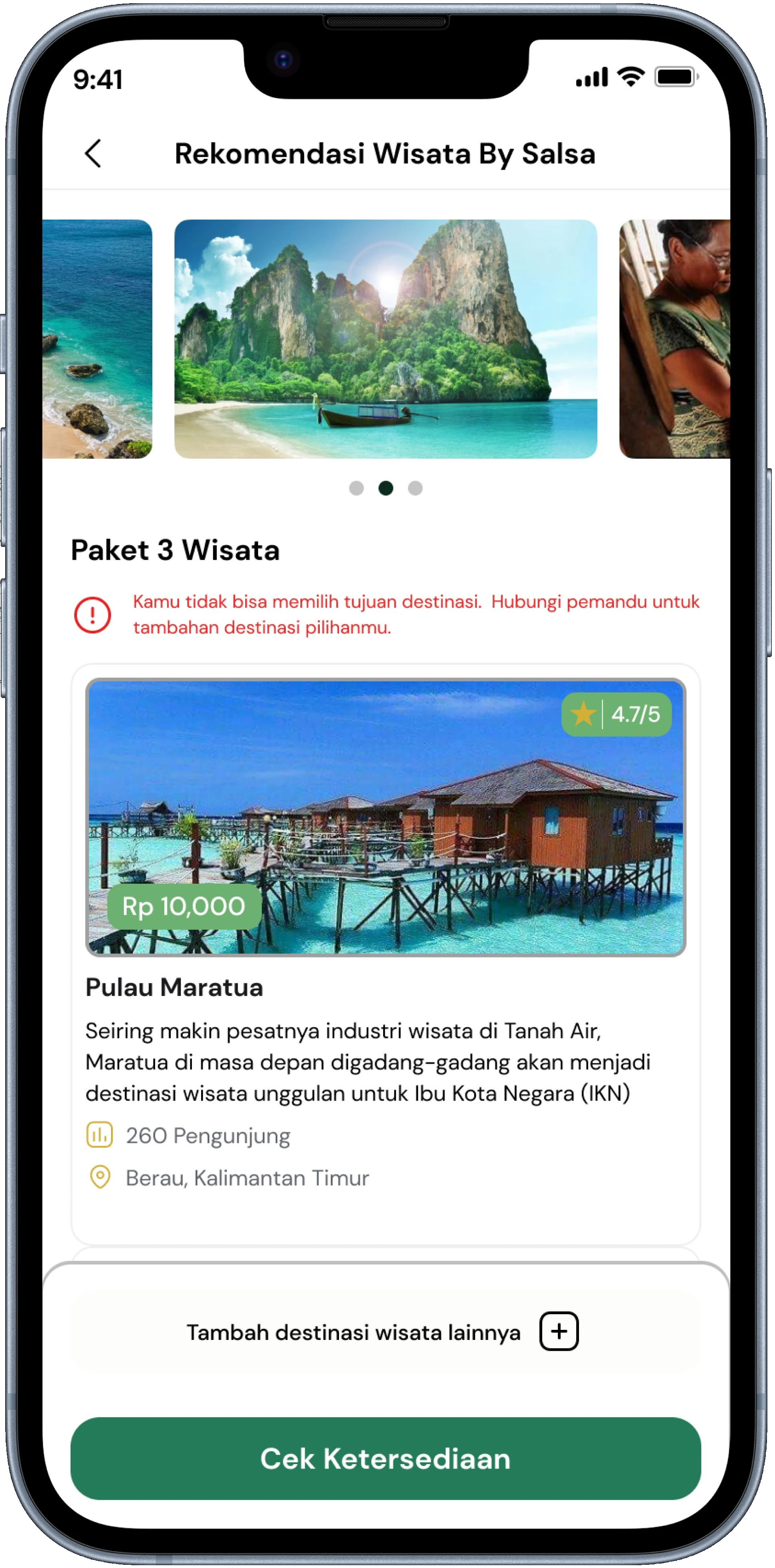
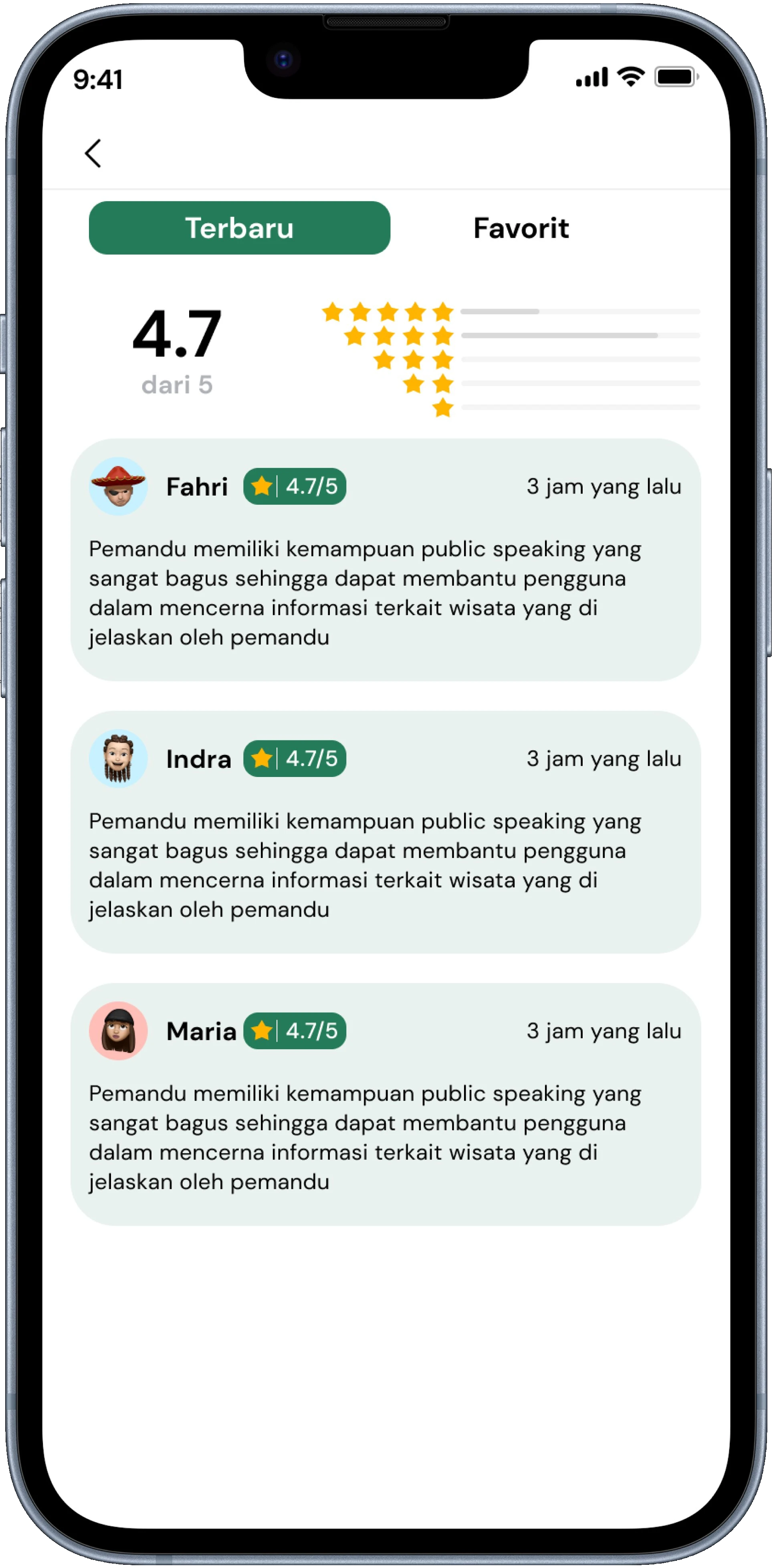
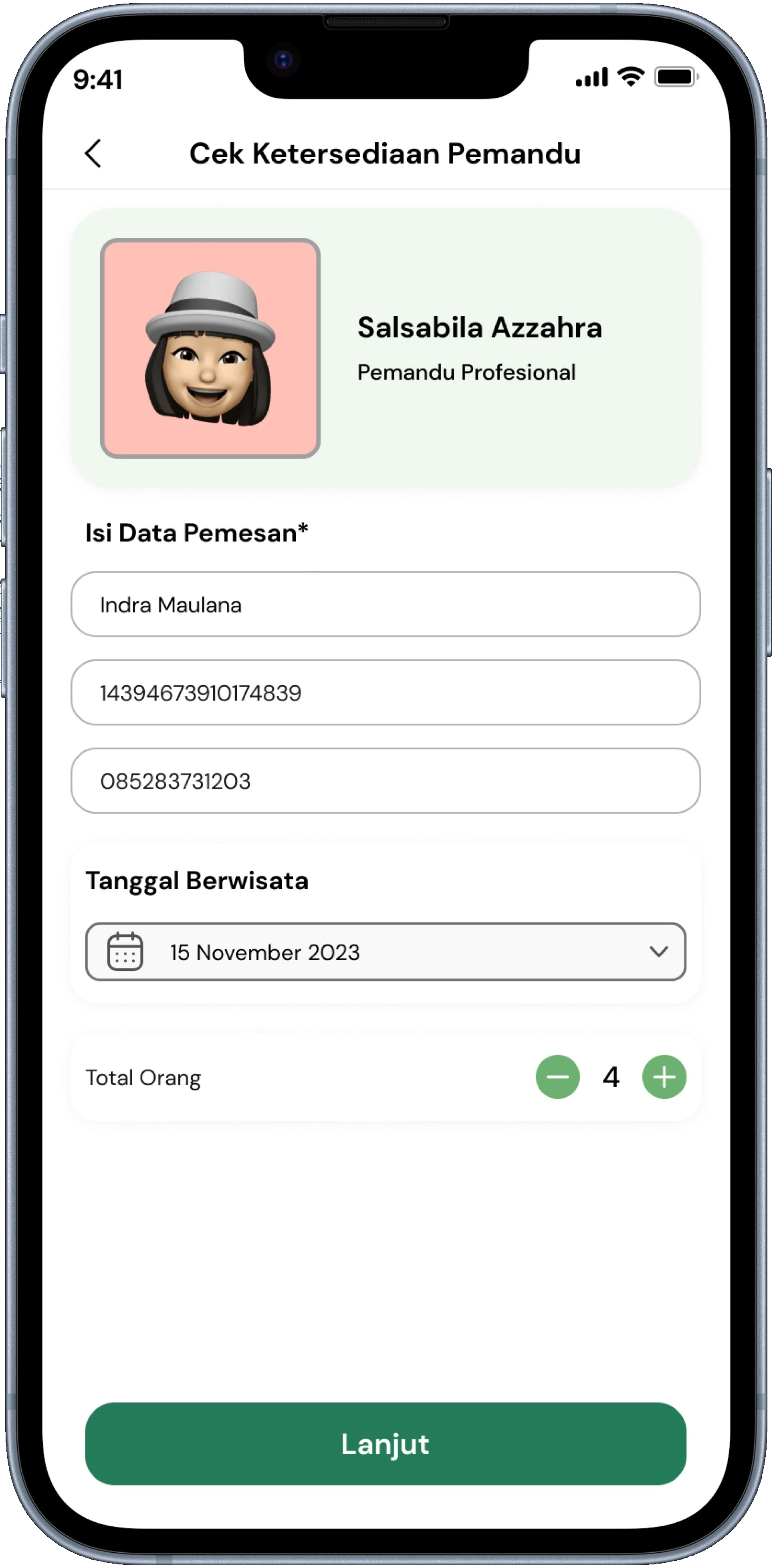
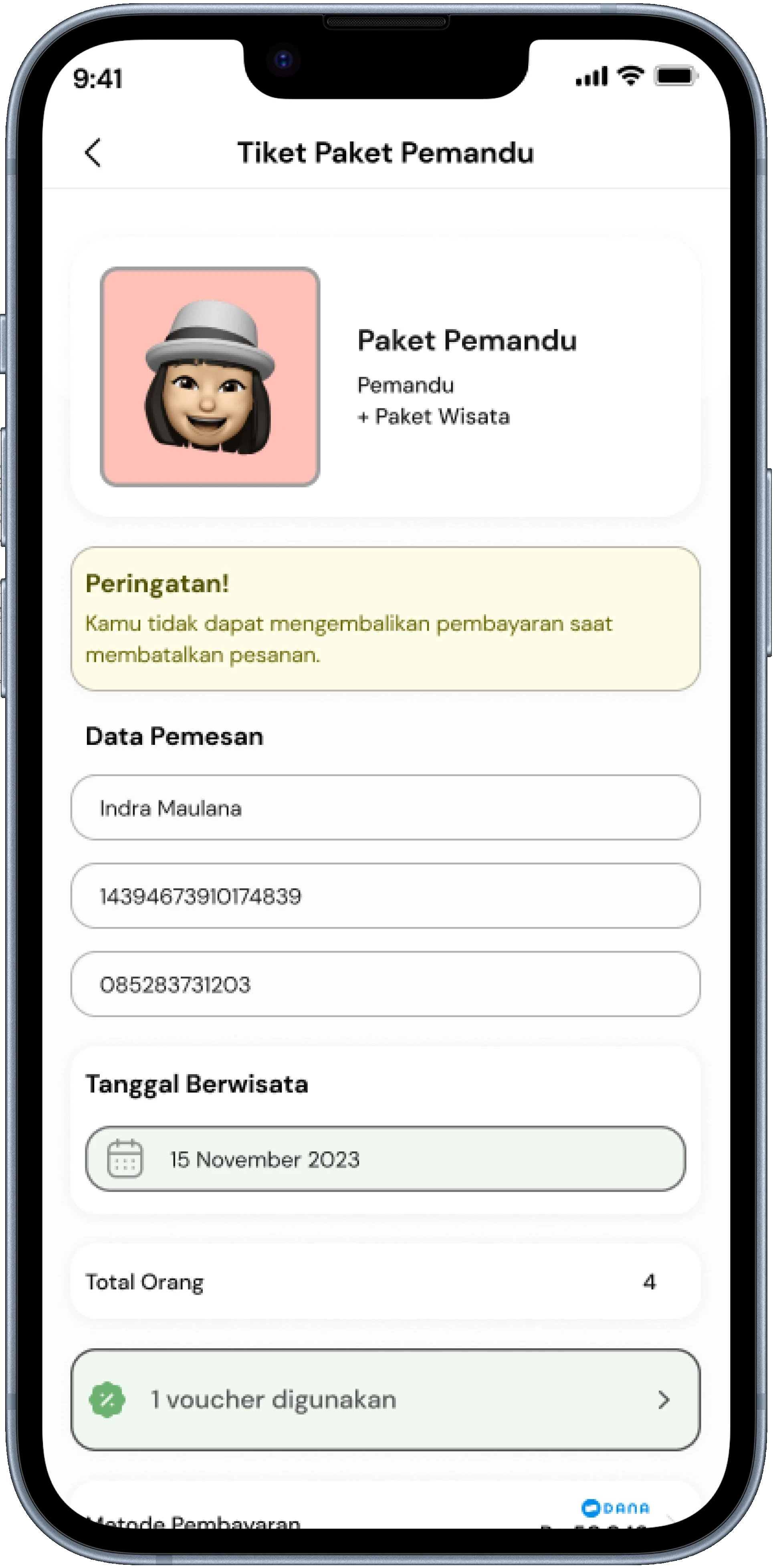
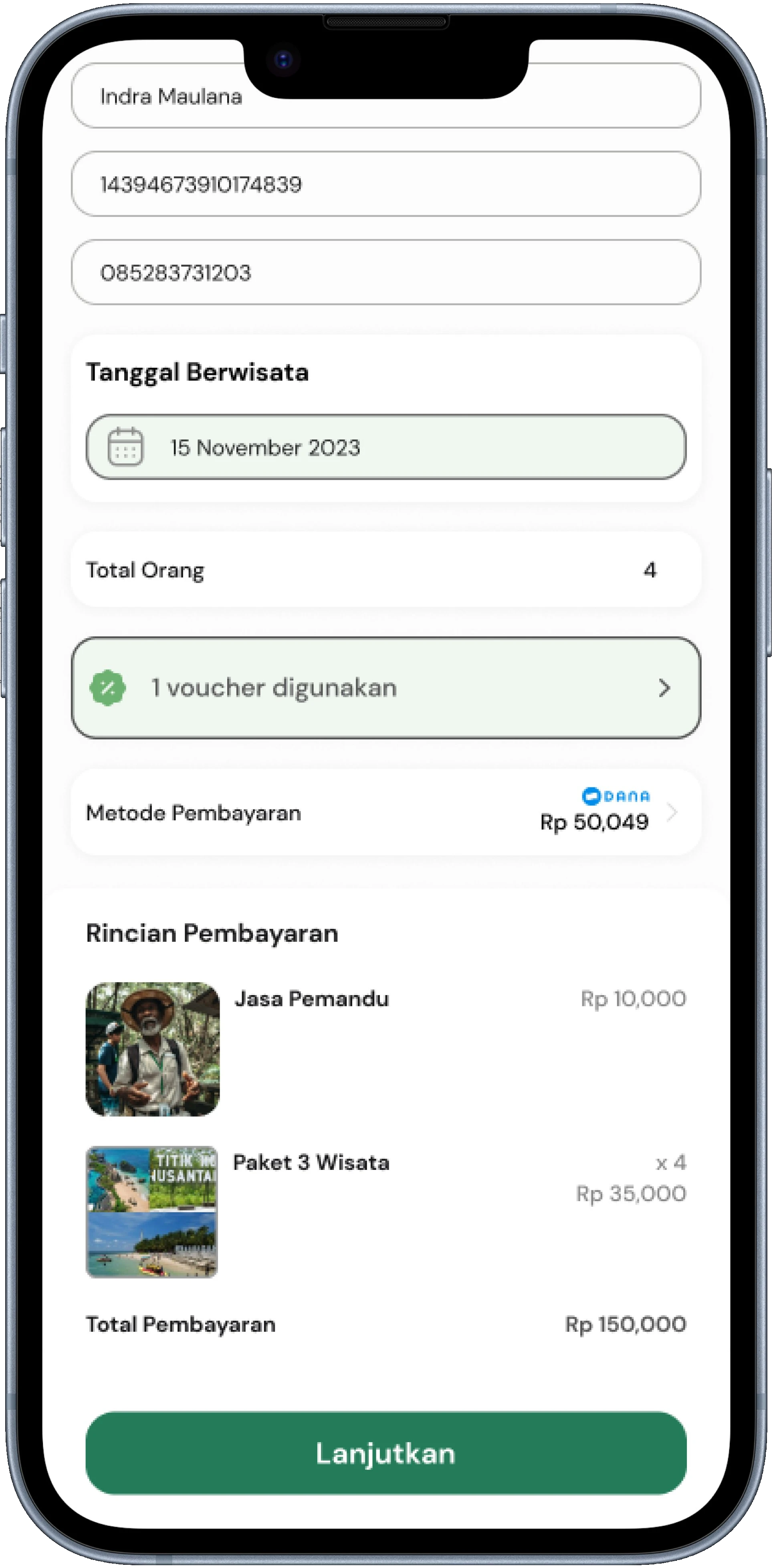
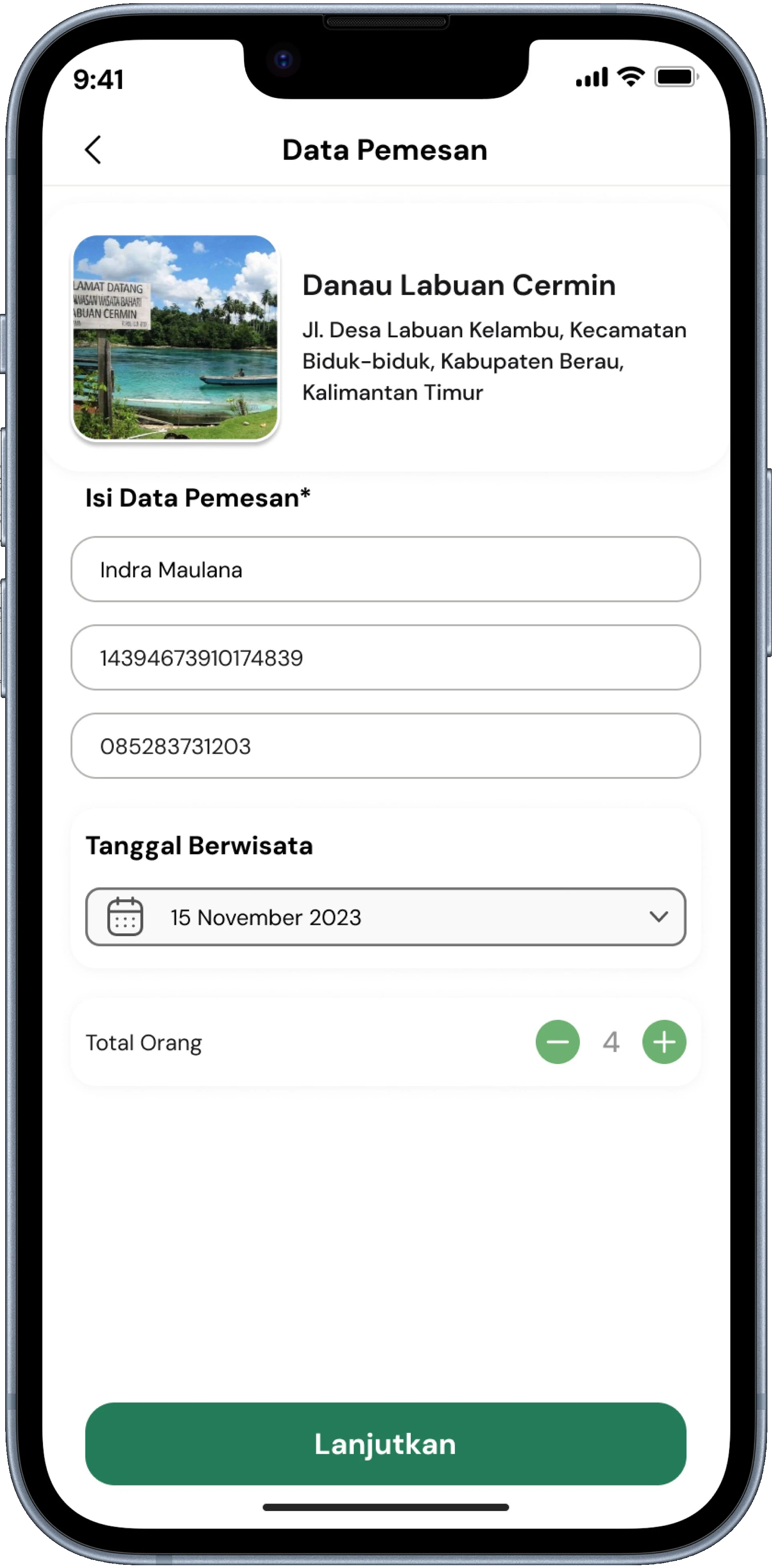
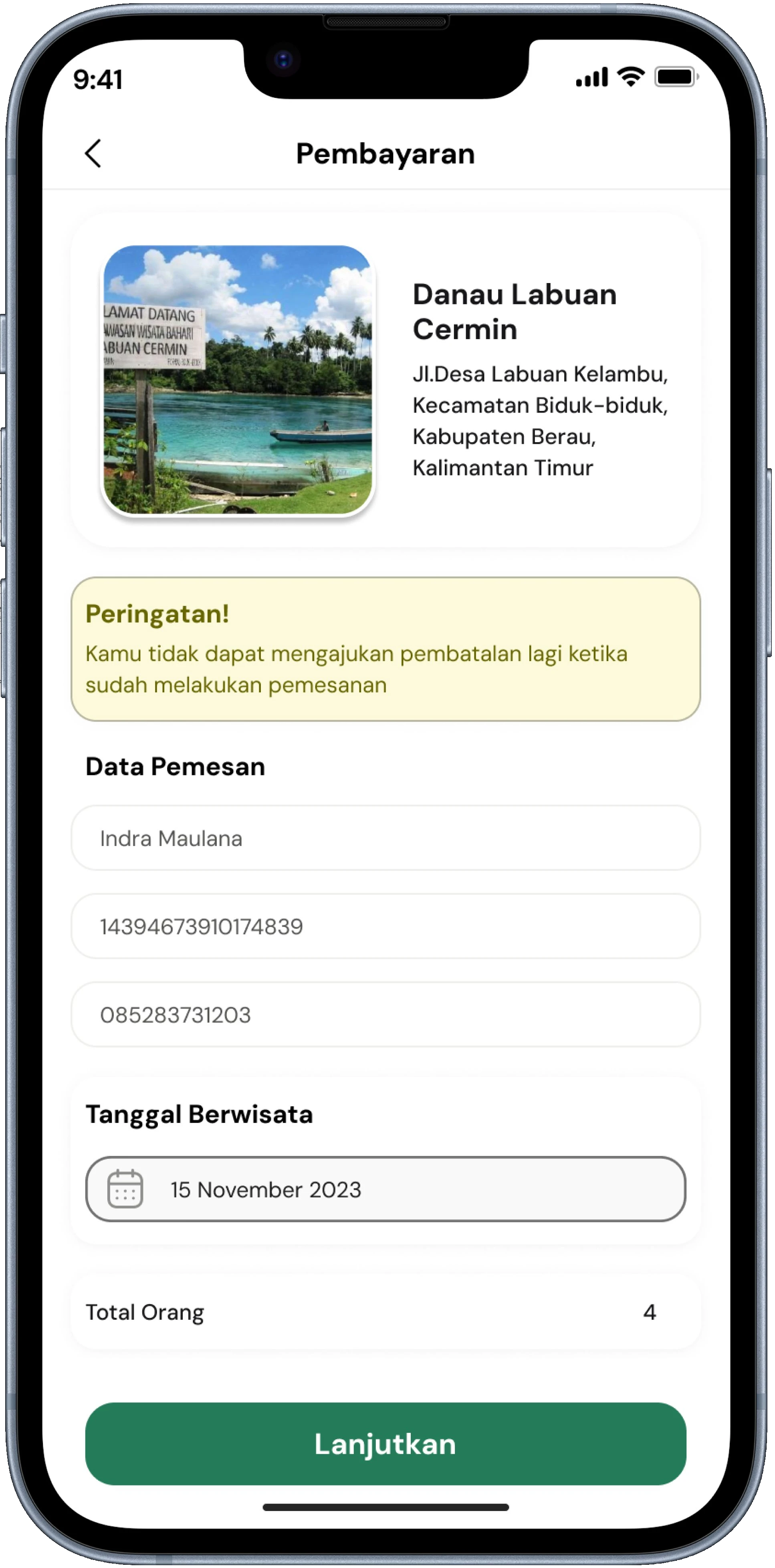
Guide cards on the search page display ratings, trip counts, and specializations concisely to facilitate quick comparisons without opening multiple profiles — addressing the pain point of users finding it difficult to distinguish guide credibility. On the detail page, experience information and reviews from other users are prioritized to build trust. The booking process is broken down into separate steps (select schedule to payment) to avoid cognitive overload and ensure price transparency before final confirmation.
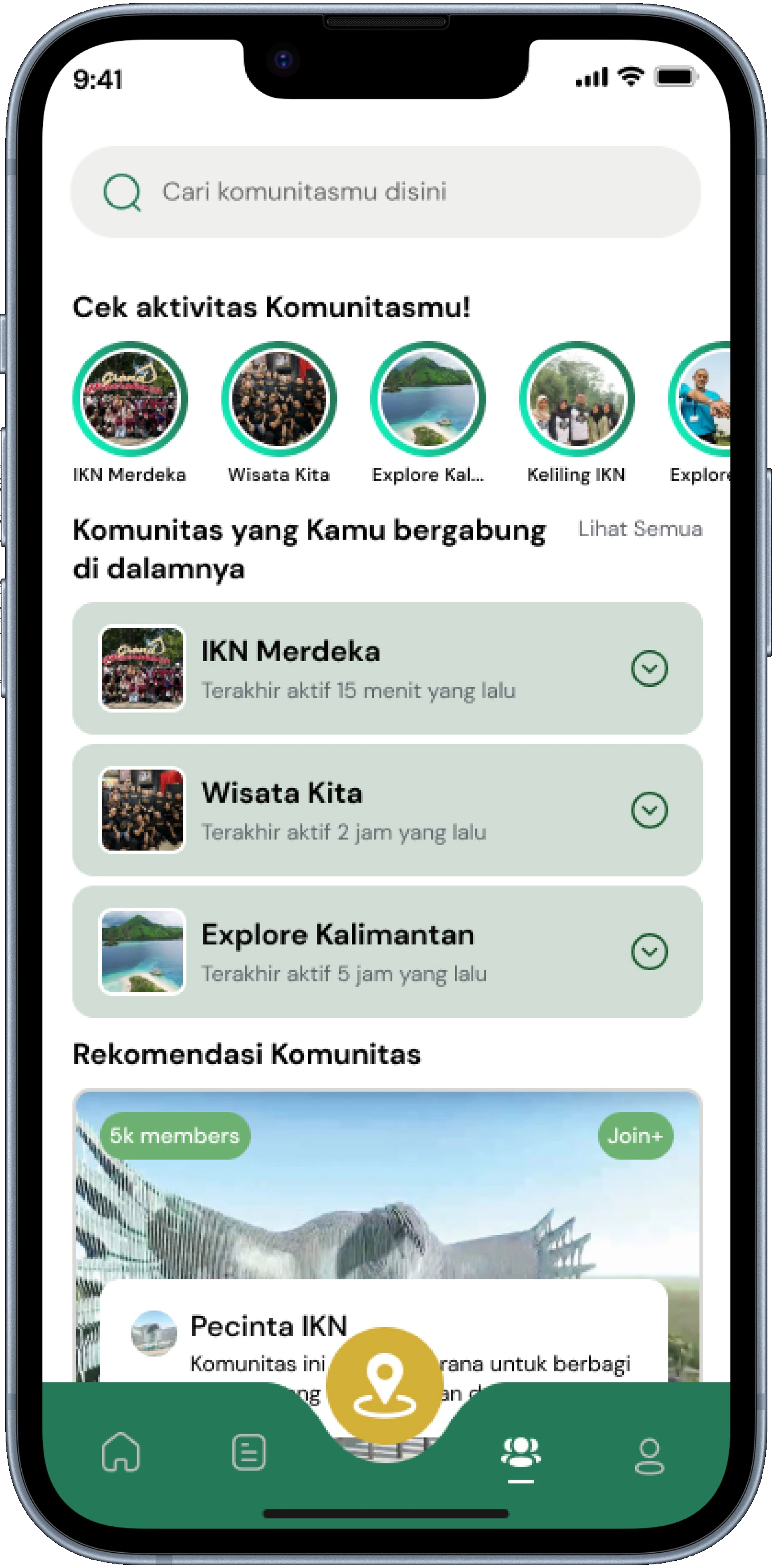
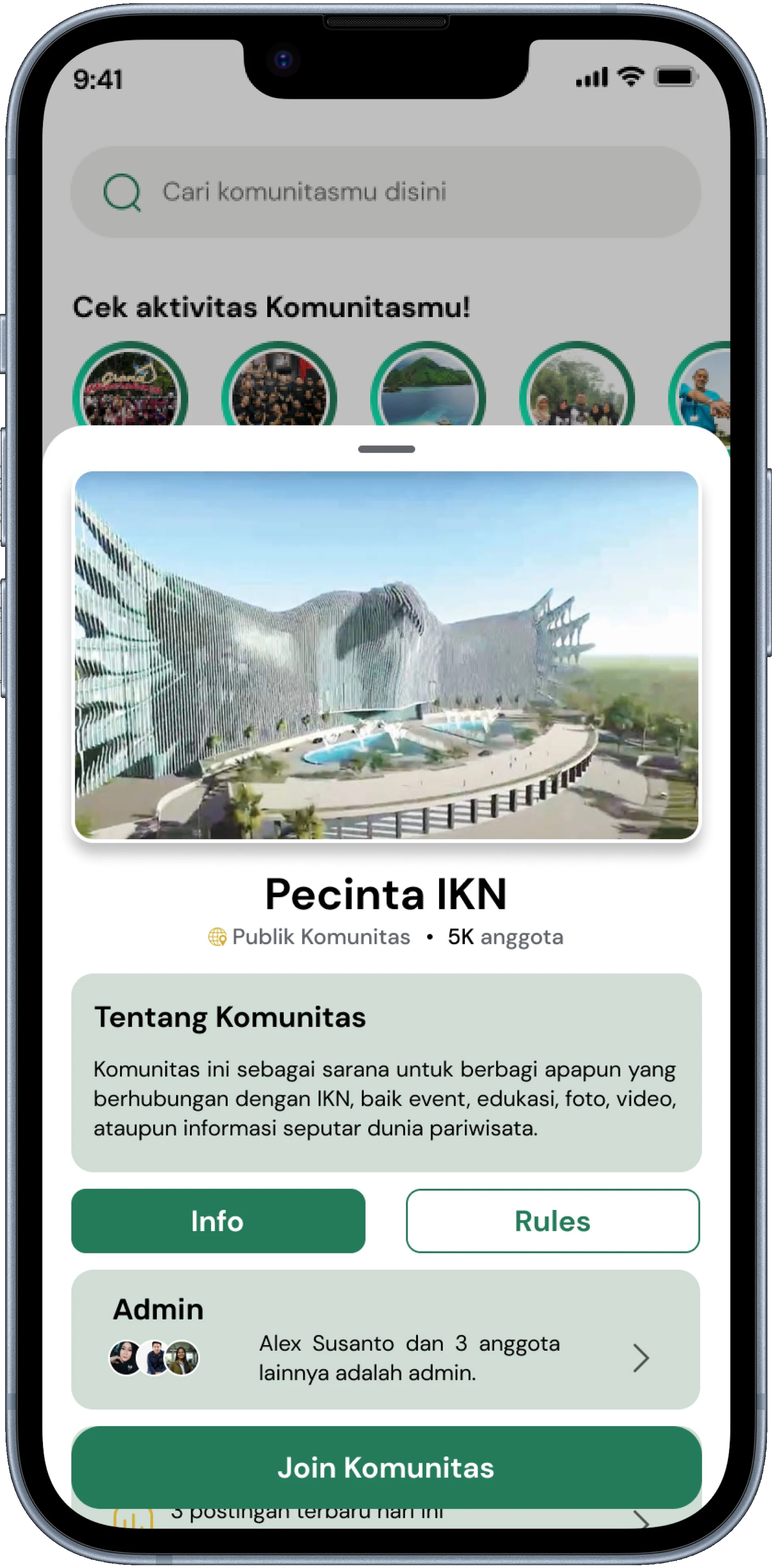
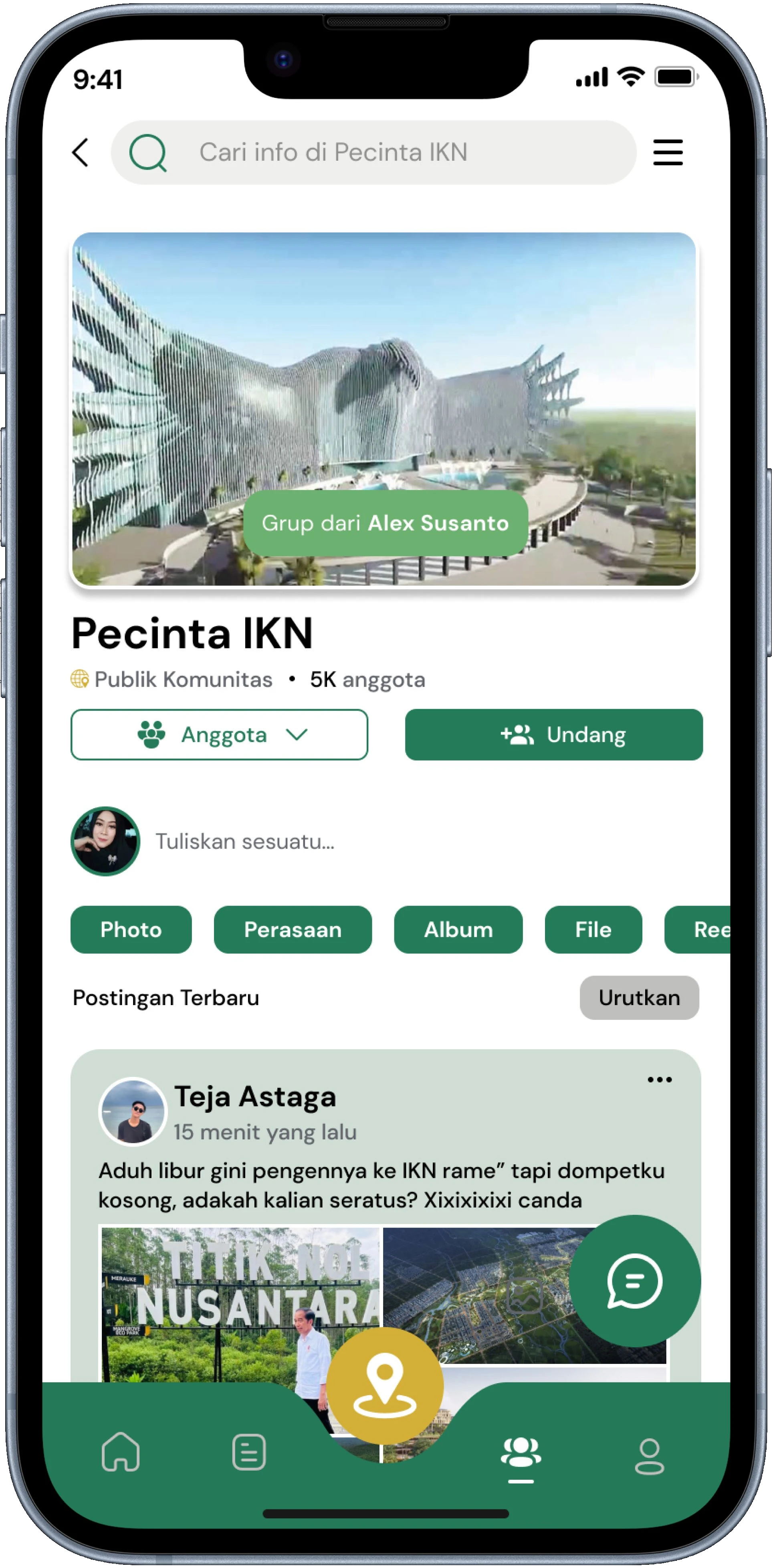
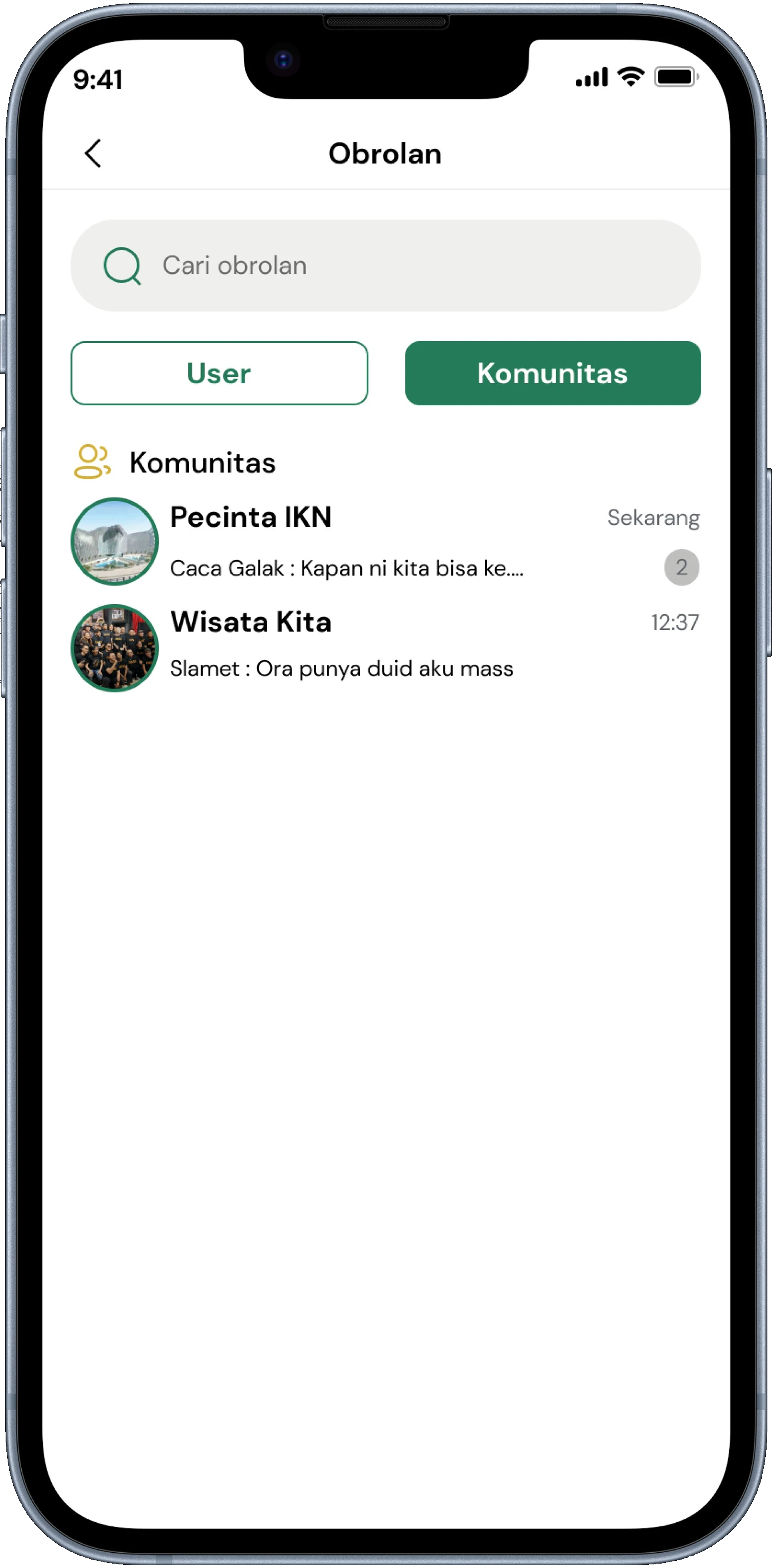
The Community feature is designed as an interaction hub for visitors, starting directly with quick access on the home page. Users are directed to an organized community ecosystem where group cards display credibility information like member counts and activity levels. The joining flow is made explicit through a landing page displaying community rules to maintain interaction quality and discussion ethics in chat rooms and feeds.
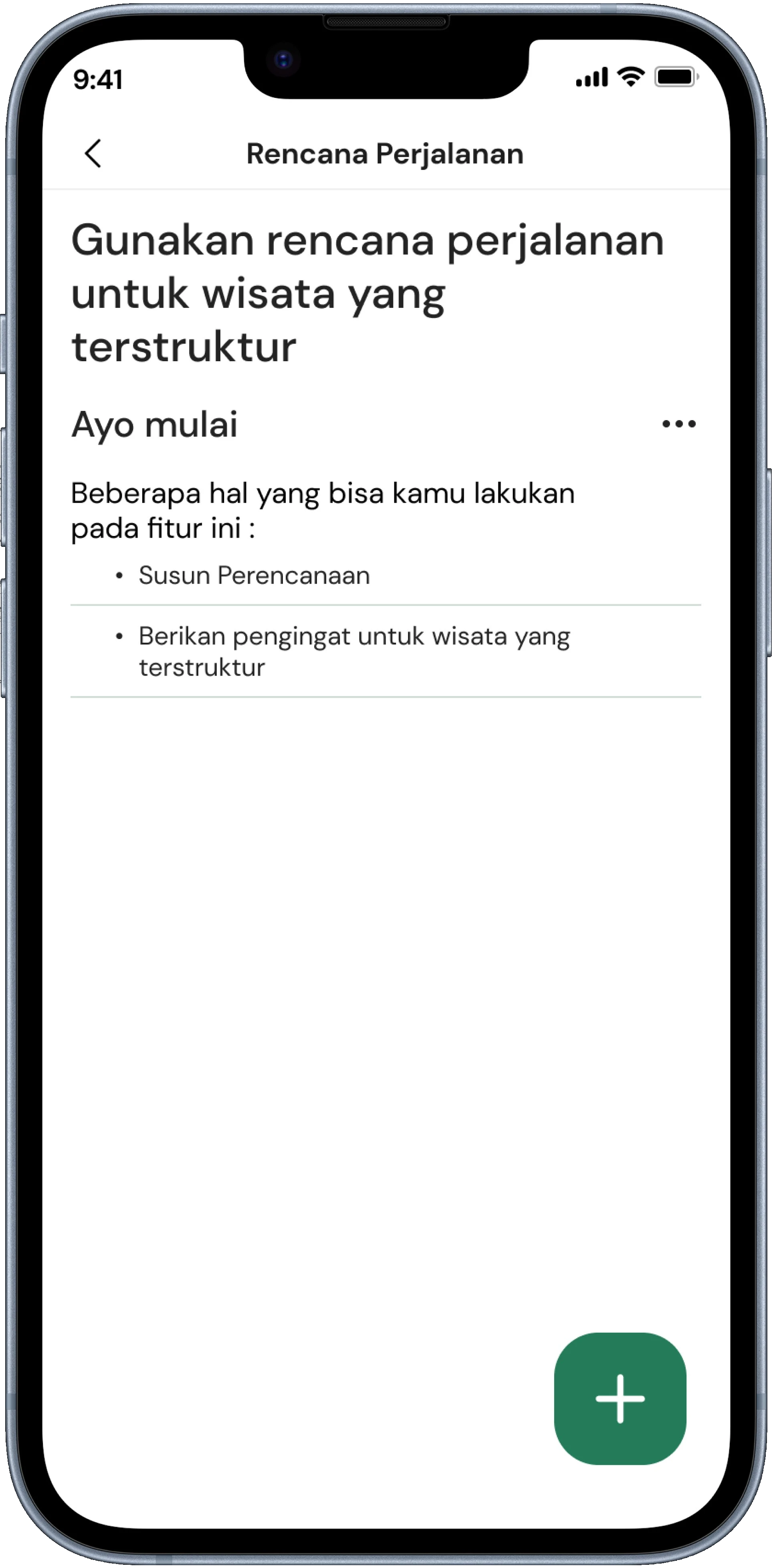
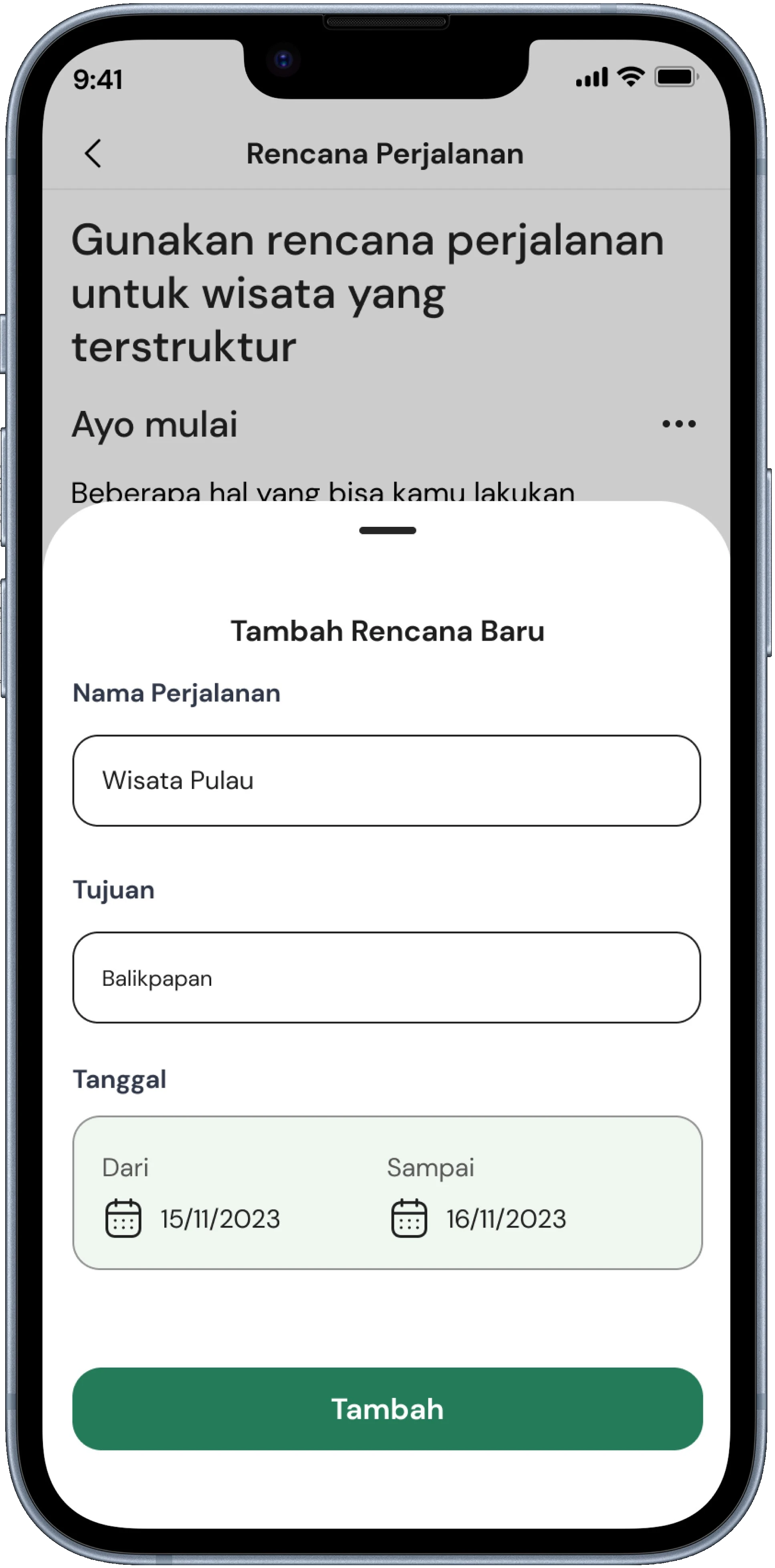
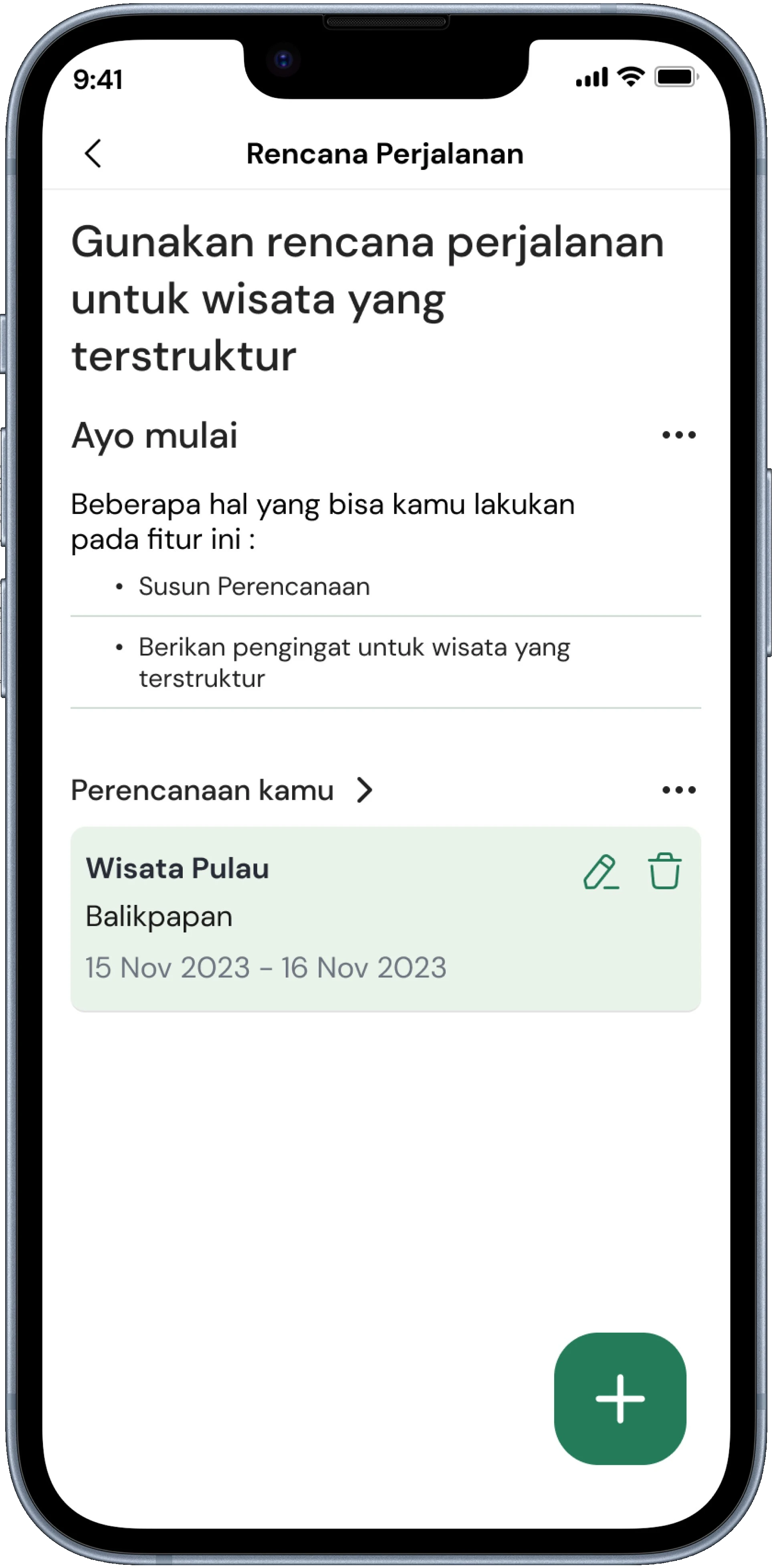
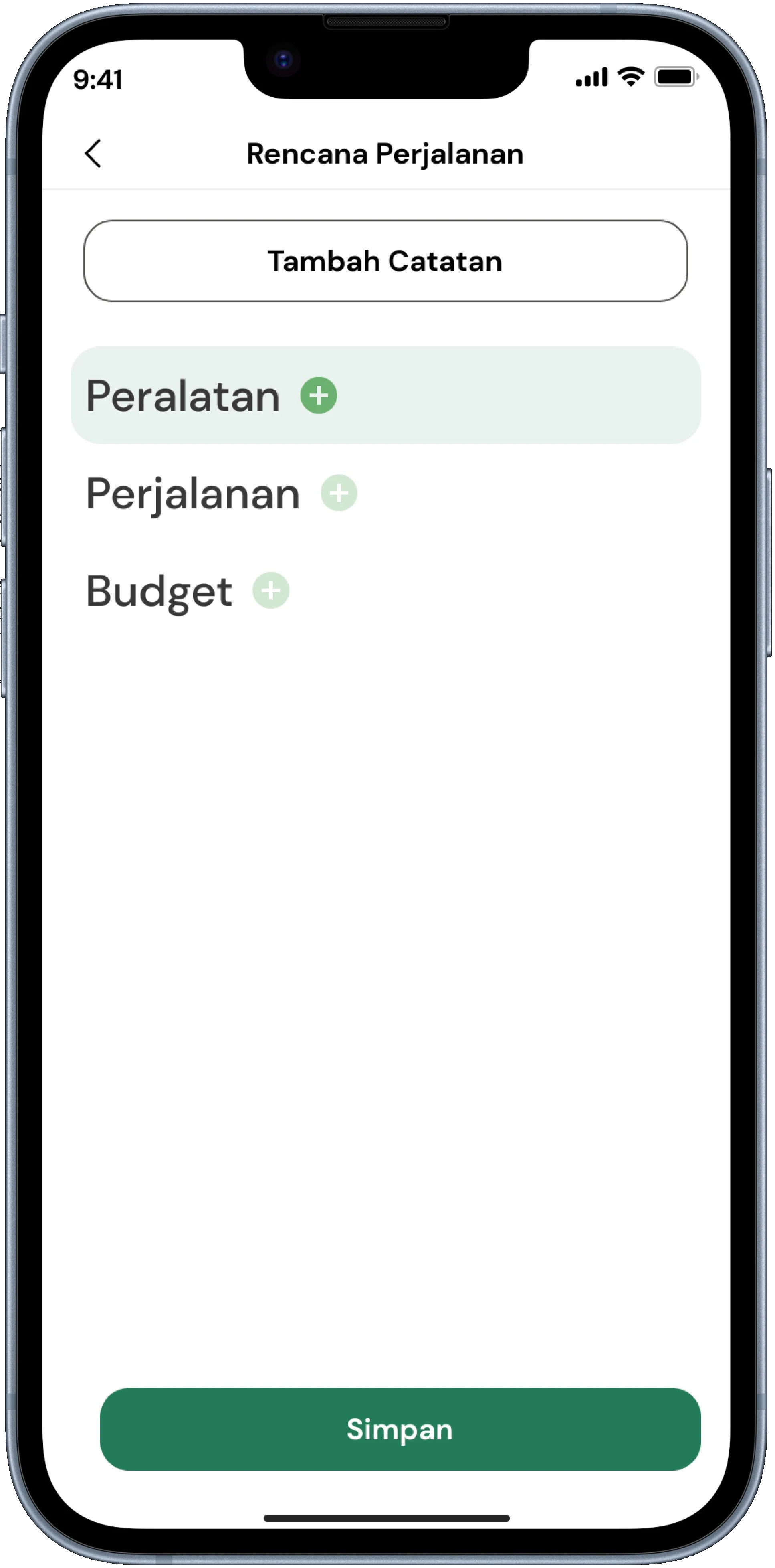
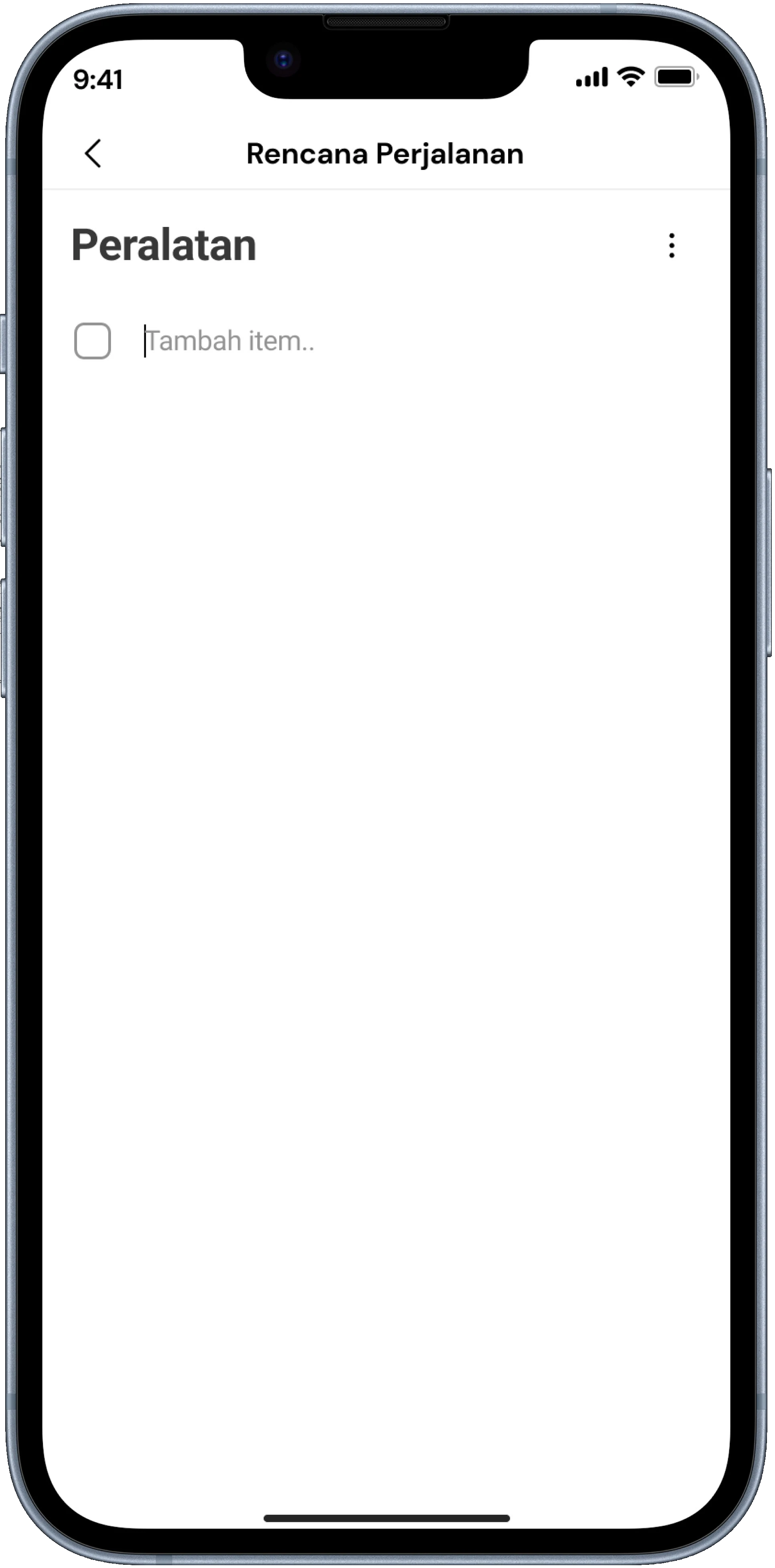
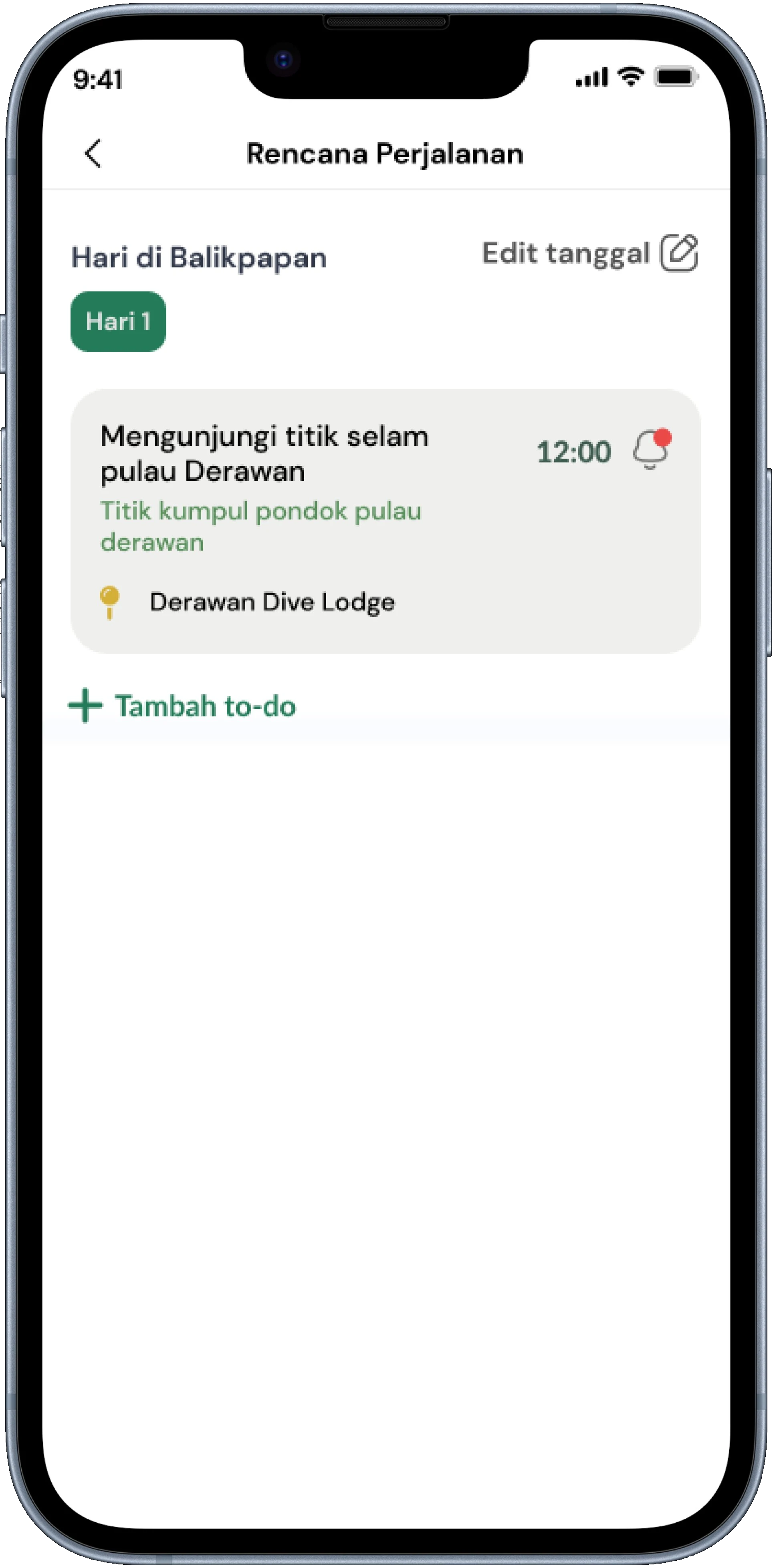
The Itinerary feature is designed to give users full control over planning their trips in a structured way. Starting from home integration, users can easily create new travel plans and manage daily activities. The key design decision was to separate the activity-adding flow from the plan overview to avoid visual clutter and ensure the flow from date selection to success is linearly arranged so users don't feel overwhelmed when planning a busy schedule.
Interactive Prototype
Validating with Real Travelers
After building the interactive prototype, usability testing with 5 participants validated core assumptions and surfaced two key iteration areas that materially improved the experience before final handoff.
What Worked Well
- Spot categorization — helped navigate without feeling overwhelmed
- Community feature — unexpectedly the highest-engagement element in testing
What Needed Iteration
- Itinerary planning flow — several participants were confused by the multi-step process, leading to a simplified and more intuitive structure.
- Booking process efficiency — re-entering customer data was a major friction point; the flow was optimized to auto-fill information from the user's account.
The Key Iteration: Booking Flow
Users were required to re-enter their personal details for every booking, creating unnecessary friction and slowing down the conversion process.
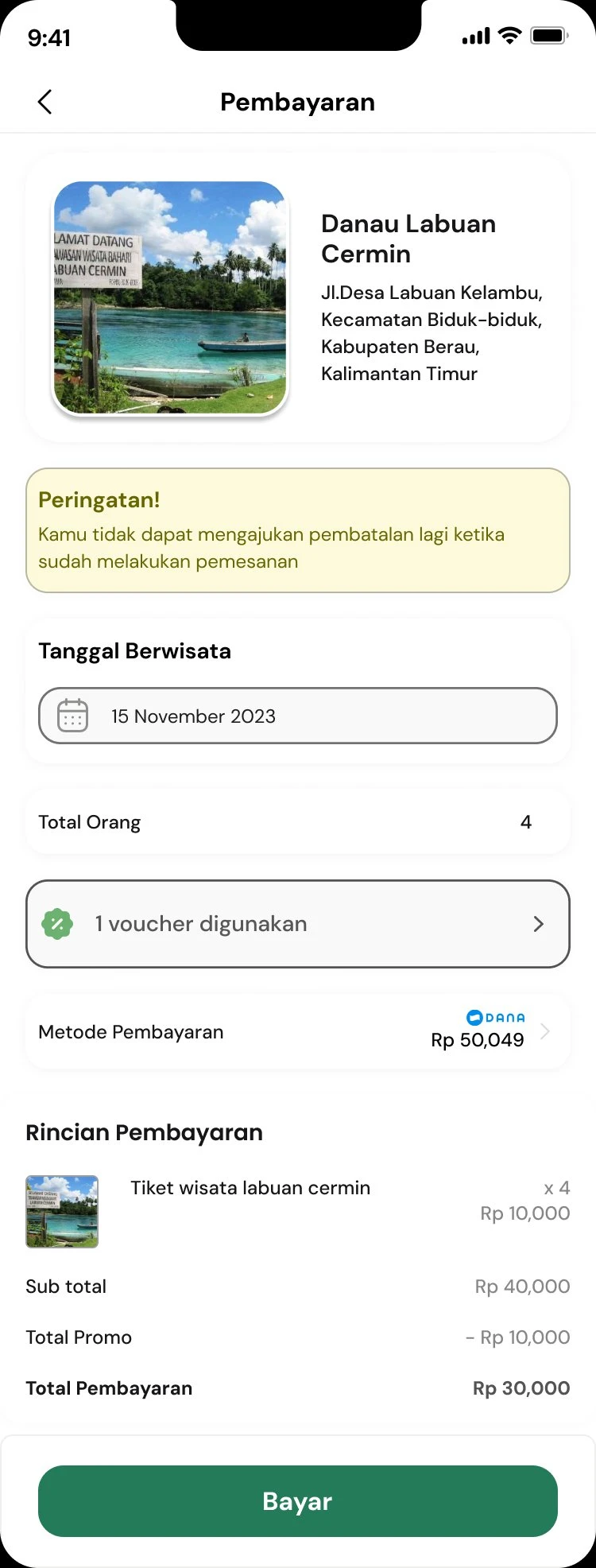
Customer data is now automatically retrieved from the user's account profile, allowing for a significantly faster and more seamless booking experience.
Three Things Go-IKN Taught Me
Trust is a Design Material, Not a Bonus
In a region with no established tourism digital presence, users needed to feel the app was credible before taking any action. Every verified badge, every community review, and every transparent price display was a trust-building element — not just a UI component filling space.
Community is Not an Optional Feature
The community feature was almost cut for time, but testing proved it was the most engaging part of the entire prototype. Users who could share and read local tips felt significantly more confident planning a trip. It became a core product differentiator.
Designing for Range Produces Better Outcomes
Research participants ranged from 20 to 45 years old. Designing for this range forced hierarchy and language decisions that worked across all demographics — which ultimately made the product better for every user, not just the median one.